
SEO Basics & Strategy
Keyword Research Tutorial
How to Find the Best Keywords


What Is Keyword Research, Anyway?
The keyword research is one of the most important tasks at the beginning of every search engine optimization of websites.
In the process, search terms should be identified that users enter into the search engines such as Google. The research delivers important insights into the manner in which the target audience in the search engines for information or products and services searches.
Based on this, you can derive actions for your own website, such as the design of landing pages that should be found by the target audience through the search engines in the best possible way.
What Is a Keyword Analysis?
The keyword analysis is the examination of the search terms (keywords) that were found through the keyword research.
The goal is to find out how many searches a particular word has, and to identify at which stage of the customer journey the user is when entering a search term.
Do they want to buy something, or are they first looking for information? The different types of searches are divided by their search intent in the keyword analysis, so that the right content for the website can be designed later on.
A keyword research and analysis can also be well used for other online marketing channels, such as Google Ads or for topic research in content marketing. Understanding the target audience can also be improved through keyword research and analysis.
Keyword Research Video: How to Find the Right Keywords!
In this video, you’ll learn how to find the best keywords for your website and your business.
Introduction: Keyword Research and Keyword Analysis Explained Step by Step
With keyword research, there is no single correct way. There are countless different approaches and SEO tools. We’ll introduce some of them to you in this article.
The goal of every research effort is the same, however: we want to find suitable keywords / search terms for our website that we can optimize for and that have a realistic chance of appearing as far up as possible in the search engine results (SERPs).
During the research, the keyword analysis comes into play. Here we factor in the strength of the competition and try to find out how often the search term is searched for, and also whether the desired conversion (e.g., purchases) can be triggered on our website.
Different Types of Keywords in the Customer Journey
A keyword is not always the same …
Behind every search there is an intention, or a desire for information or an action on the part of the searcher.
During the research, exactly these motivations in the customer journey must be taken into account for each individual search term. Why the effort? Because Google always wants to deliver its users the best search result, and so we want to work out the best solution for each keyword and offer it on our page, so that we rank as far up in the SERPs as possible.
What Is the Customer Journey?
The customer journey is the path a customer follows via so-called touchpoints up to their purchase decision. In the classic customer journey, the customer passes through these touchpoints:
- Awareness
- Interest
- Consideration
- Purchase
- Retention
- Advocacy
Through keyword research, you can find out at which touchpoint in the customer journey the customer is, and optimize your own content accordingly.
Search Intent: Know the Users’ Search Intention
That’s why, for every keyword, you need to know the users’ search intention and know which stage of the customer journey they’re in. That way you can meet their needs in the best possible way.
The most important types of search intentions (search intent) for the research:
- information-driven searches
- transaction-driven searches
- commercially driven searches
- navigation-driven searches
Google classifies search intent in its Quality Rater Guidelines as
- Do = Transactional
- Know = Informational
- Go = Navigational
It’s important to know the search intent behind each search term as precisely as possible, in order to be able to provide the right content for the user on the website. The search intentions explained in detail:
Information-Driven Searches
With information-driven searches, the user has a question or a problem and is looking for an answer or a solution. These searches, if anything, are often at the beginning of a buying process. Information-driven searches often involve wh-questions (“What?,” “How?,” or “Why?”).
Example: “How to remove a red wine stain from carpet”
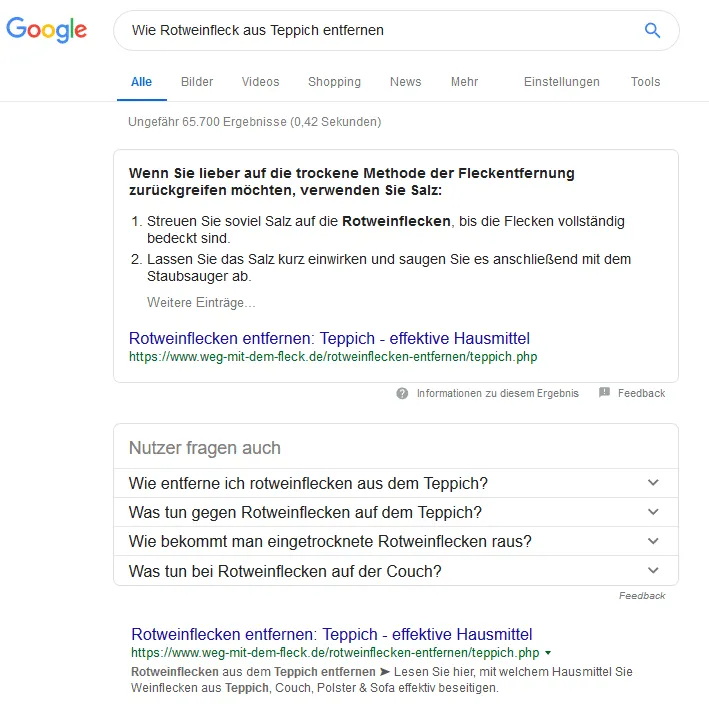
Meaning: the user has the problem that there’s a red wine stain on their carpet, and they’re looking for tips on how to remove it.
Informational searches can often be very general, as in this example:
Example: “herniated disc”
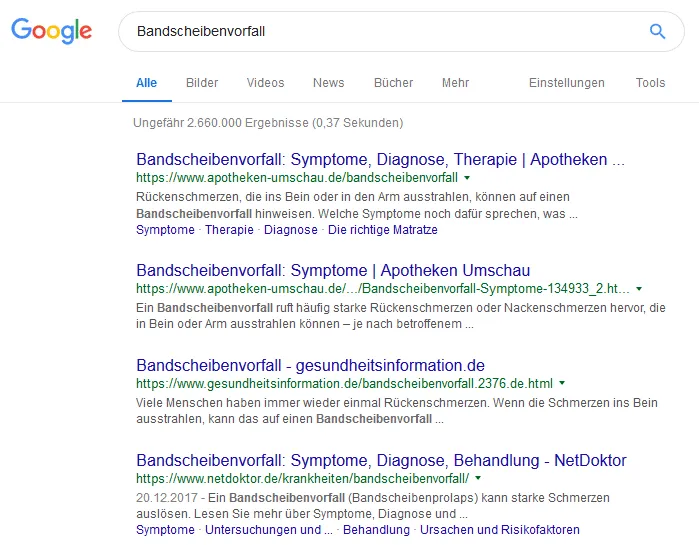
Meaning: the user wants to inform themselves generally about the topic of herniated disc.
Transactional Searches
Here the user intends to carry out a specific action; for example, it might involve a download, a reservation, or an order. This is not necessarily a purchase, as with commercial searches.
Example: “download SEO ebook”

Meaning: the user wants to find an ebook about SEO.
Commercial Searches
Behind these searches lies a concrete intention to buy.
The user has already gone through a research process and is therefore specifically looking for a product or a solution. That’s why exact brands or product names are often used here:
Example: “Puma Fenty black”

Meaning: where can I buy the Fenty sneakers by Puma in black?
Because the product names are often entered directly, many shopping results are also shown for these queries.
But searching for a product in combination with “buy,” “order,” or similar terms also counts as commercial queries and is very interesting for many online shop operators. The same applies to searches from users looking for services and consulting, such as “good SEO agency” (Okay, sorry – I just had to add that internal link :D).
Navigational Searches
With navigational searches, the user uses Google to reach a specific subpage of a website without entering the exact URL. The user knows the target page but doesn’t want to search through the entire website out of convenience. Here the user already knows the target page they want to reach, but doesn’t know the exact URL and doesn’t want to search through the entire website.
Example: “Zalando customer support”
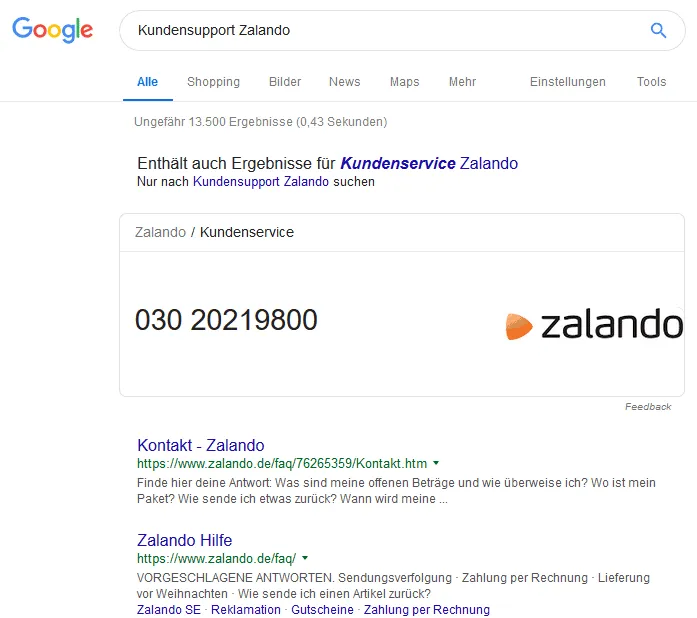
Meaning: I want to get to the Zalando website, specifically to the page with the contact form or a phone number for customer support.
The Six Basic Needs of Search Intent According to Google
In a video, Google highlighted the important role of search intent. In total, there are six basic needs to cover. Whoever succeeds at this can accompany their users along the entire customer journey.
In the video, Justin De Graaf (Head of Research and Insights at Google) presents the following six basic needs:
- Thrill me
- Impress me
- Educate me
- Reassure me
- Help me
- Surprise me
These six basic needs overlap with the categories of search and user intent mentioned above. For example, a search in the “Help me” area can be driven by information, transaction, or navigation intent.
How Do I Find Out the Search Intention for My Keywords?
Based on the examples mentioned above, you can guess fairly quickly what the user is really looking for. Someone who enters the keyword + “buy” at least wants to compare prices or simply buy something directly. It becomes more difficult to figure out the search intention with more generic terms. What does someone who enters “fire extinguisher” want to know?
To find out the search intention for such terms, the easiest way is to look at the TOP TEN on Google for the respective term. Do shops tend to appear here, satisfying the commercial intent, or do wiki or blog articles tend to appear, answering the information intent?
Take a close look at how competitors satisfy the search intention. From that, you can draw conclusions about what exactly the search intent is!
Short-, Mid-, and Long-Tail Keywords
In addition to determining the search intention, during the research you need to sort by the short, medium, and long searches:
- Short-tail terms are often generic – with a high search volume, but an imprecise search intention, and they often target a very hard-fought market.
- Mid-tail keywords have a lower search volume, but in return the search intent is easier to determine and the conversion is usually better (see the comparison “fire extinguisher” vs. “buy fire extinguisher” – here, with the mid-tail search term, someone really wants to buy something like that, whereas with the short-tail term, gathering information is more in the foreground).
- Long-tail keywords have the lowest search volume, but in return they’re usually easier to push to the top and are very specific, so that optimizing for search intent is easier. The exception is when many competitors are already optimizing for long-tail keywords, as is often the case with online shops (e.g., buy solid wood furniture online cheap).
The graphic from Rand Fishkin’s talk illustrates very well the relationship between the different keyword types, along with their pros and cons.

Note 1.0: Focus on Mid- and Long-Tail
It’s more worthwhile to go for mid- or even long-tail keywords. While the monthly search volume is lower, the conversion is usually higher here and the competition weaker, so that you move up faster. With strongly transactional and commercially driven keywords, however, the competition can still be strong – despite the low search volume, because the users’ willingness to buy is very high, many site operators optimize for exactly such terms.
Note 2.0: Conversational Search: The Evolution of the Long Tail for AI Dialogues
With the rapid rise of chat-based search engines (such as Perplexity, ChatGPT Search, or Google AI Overviews in dialogue mode), search behavior is changing drastically. Users no longer type isolated short-tail keywords, but instead carry out complex search dialogues in natural sentences.
The classic division into short-, mid-, and long-tail is often no longer enough. Keyword research has to reflect the shift toward “conversational search.” It’s no longer just about the main keyword, but about anticipating which logical follow-up questions a user will ask the AI in a direct dialogue. In the future, your content has to be structured so that it answers entire topic clusters in a dialogue-oriented and precise way.
The First Step in Keyword Research
After the theoretical part, we’ll begin with the first important step in the research.
Before we even use any tools for research, it helps enormously to grab pen and paper and write down – as a team or alone – all the search terms that could be relevant to the website and the company (brainstorming!). Every keyword research effort starts, so to speak, at home:
- Which products/services are being advertised?
- Which terms are used on the website and by the competition?
- Which technical terms are there in the industry your company operates in?
- Are there trade portals (analog and digital) in this area? Which terms are used here?
- Which topics and terms are used in the industry on the social media channels? What is especially trending right now?
- Forums also provide valuable information for collecting possible search terms
- Which terms do customers use? If available: here, customer support or sales can often provide a lot of input
AI as a Brainstorming Partner (Prompting for LLMs)
The classic approach of manual brainstorming often isn’t enough. Generative AIs (such as ChatGPT, Claude, or Gemini) have become indispensable co-pilots in the research process.
What AI means for the research:
Through targeted prompting, you can use LLMs to identify in-depth topic clusters, specific pain points of your target audience, and undiscovered niche searches. They help you find semantic connections and user intentions that in classic keyword databases often only appear months later, or not at all.
Looking for Keyword Gold Nuggets?
We’ll take care of the detailed keyword research for you and, in a professional keyword analysis, capture all the relevant keywords for your company. Contact us now for a no-obligation quote.
We’re also happy to support you with link building as a link building agency or with a complete optimization through our monthly SEO support.
Keyword Research with Free Tools
With free and paid keyword research tools, you can check the terms you’ve thought of so far for their search volume and have further ideas suggested to you.
The following free tools that we’ll introduce to you here often show their users further valuable search terms that are also searched for and that may have been forgotten during the first brainstorming session. We need the paid tools to find out the monthly search volume.
Note: Collect all the terms you find during the research in an Excel list. This list should later become your master keyword list (here’s an example: keyword research), which is essential for optimizing your website for the search engines.
By collecting all the terms in Excel, you can quickly remove duplicate content, filter it as you like, merge it into a pivot table, and cluster it accordingly for a better overview. We’ll show you how to do this over the course of this article.
Let’s start searching for relevant search terms with the help of tools:
Google Autocomplete
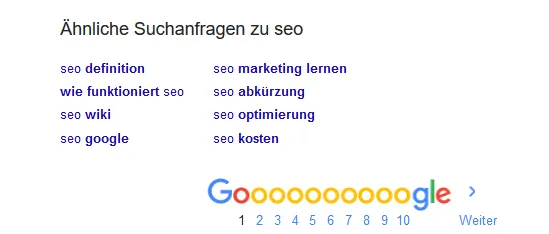
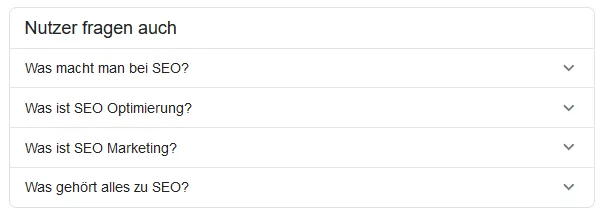
Google itself suggests further matching search terms for your search entries. You can often find valuable terms for further research here. Bing, Yandex, and other larger search engines also suggest further searches to the searcher. Matching suggestions are shown to you in the search bar and at the bottom of the page.
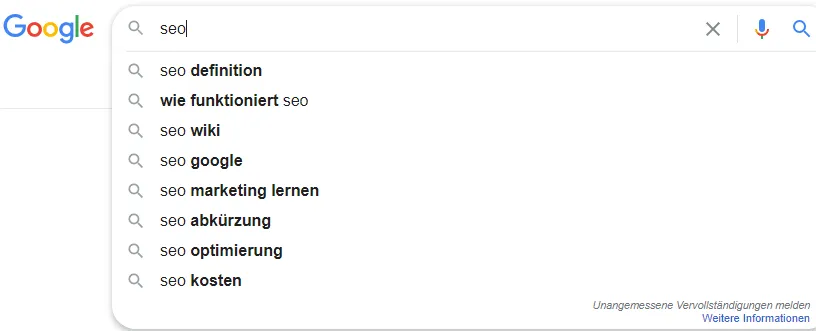
Google Suggest automatically suggests many further searches to you.
Google Trends
Google Trends shows you the development of searches, displaying how often this search entry is entered on a timeline. This lets you find “trends” for keywords and ones that are steadily losing importance. For example, you can see that the term “Minecraft” has been losing relevance more and more since 2011 and the searches for it are declining.

In Google Trends, the results for the respective search term can be filtered by specific time zones and countries, as well as by News, Shopping, and YouTube search. What’s especially interesting here is the development of well-known products and names. You’re also shown related topics and similar searches here, which can be interesting when researching suitable keywords.
Google Search Console
The Search Console is Google’s mouthpiece to all webmasters who want good rankings on it. Here you’re shown the current search terms your website is found for on Google: very helpful for researching further opportunities with these terms and for seeing how much traffic you already get through the organic search results.
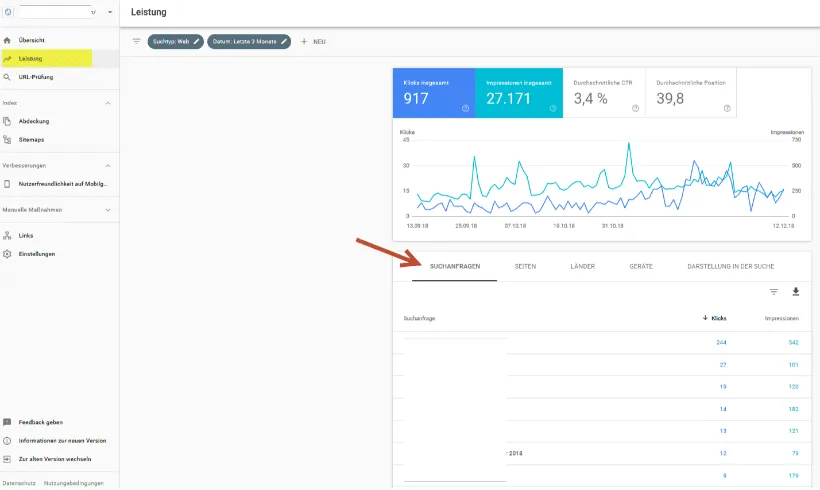
Free keyword research via the Search Console: under Performance and then Queries, the current search terms your website is found for are displayed.
Keyword.io
The free keyword research tool Keyword.io expands your keywords with countless ideas. Enter a search term in the search bar and the tool spits out tons of suggestions for it. To be able to download all the suggestions, you first have to register for free. The tool provides you with suggestions not only from Google, but also from many other large platforms such as Amazon, YouTube, and even Fiverr.com.
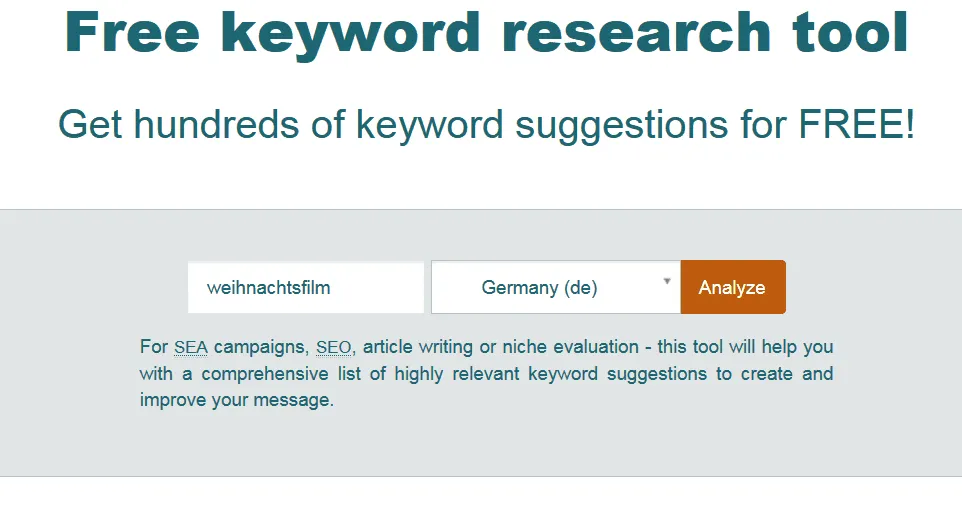
As soon as the analysis is finished, you can download the data as a TXT file and add all the terms to your Excel list.
Hypersuggest
On hypersuggest.com you can likewise have further suggestions for your ideas displayed. The research isn’t limited to Google either, but covers many other categories, such as Shopping, wh-questions, Images, Instagram, and many more.
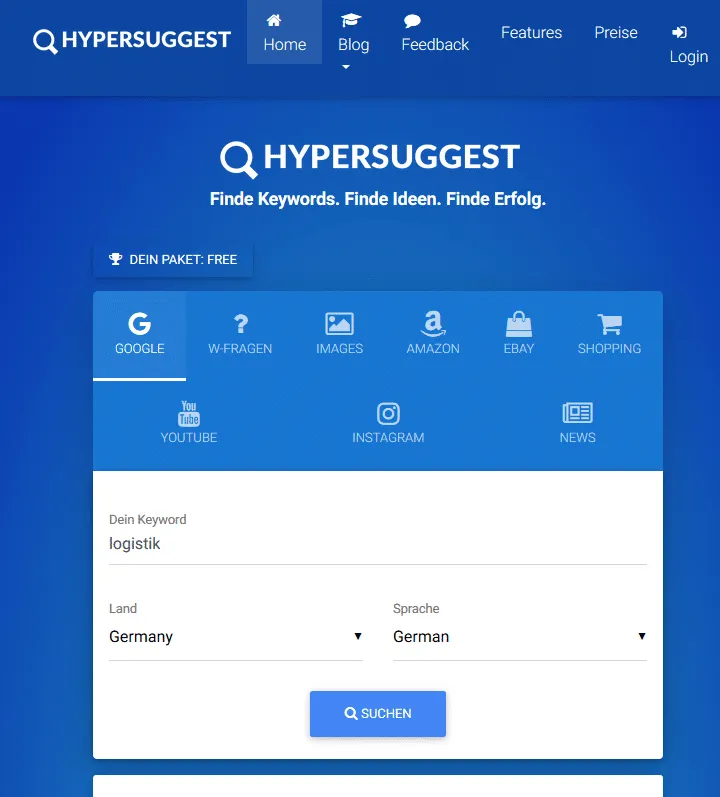
Note: Unfortunately, Hypersuggest is very heavily limited in the free version. Alternatives to it are (described below) Seorch.de and/or wrel.de/keywordfragen/.
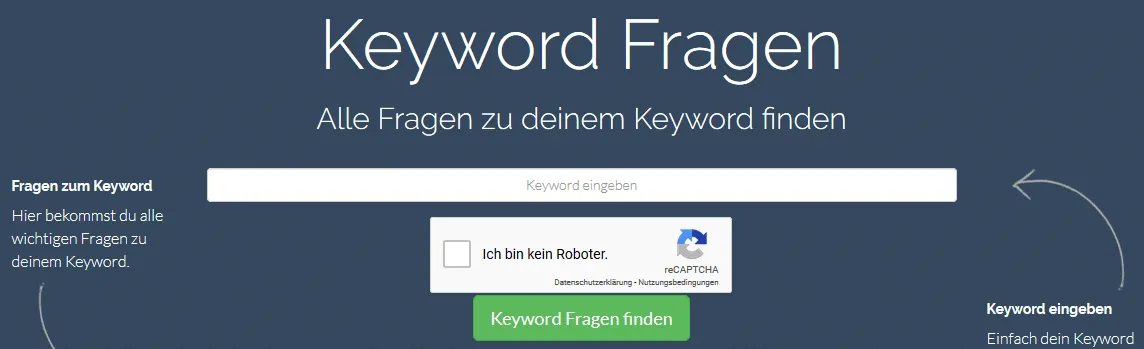
Seorch
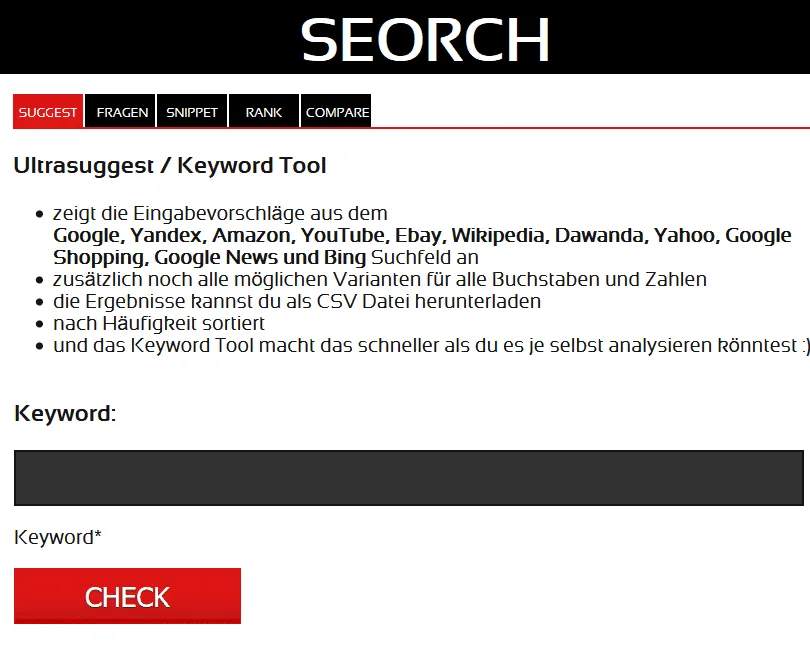
With the tool seorch.de you can not only carry out on-page analyses for your site, but it also offers you the possibilities of keyword research. Enter your desired search term here and click “check.” The tool suggests countless input ideas from the search results of Google, Yandex, Amazon, Wikipedia, and many more.
OpenThesaurus
Synonyms should definitely be taken into account when researching keywords. On OpenThesaurus you can have countless synonyms for your search terms displayed and then expand them with Hypersuggest, Seorch, and the like. Depending on the search term, thousands of terms can quickly come together here, which we’ll sort through bit by bit later.

Answer the Public
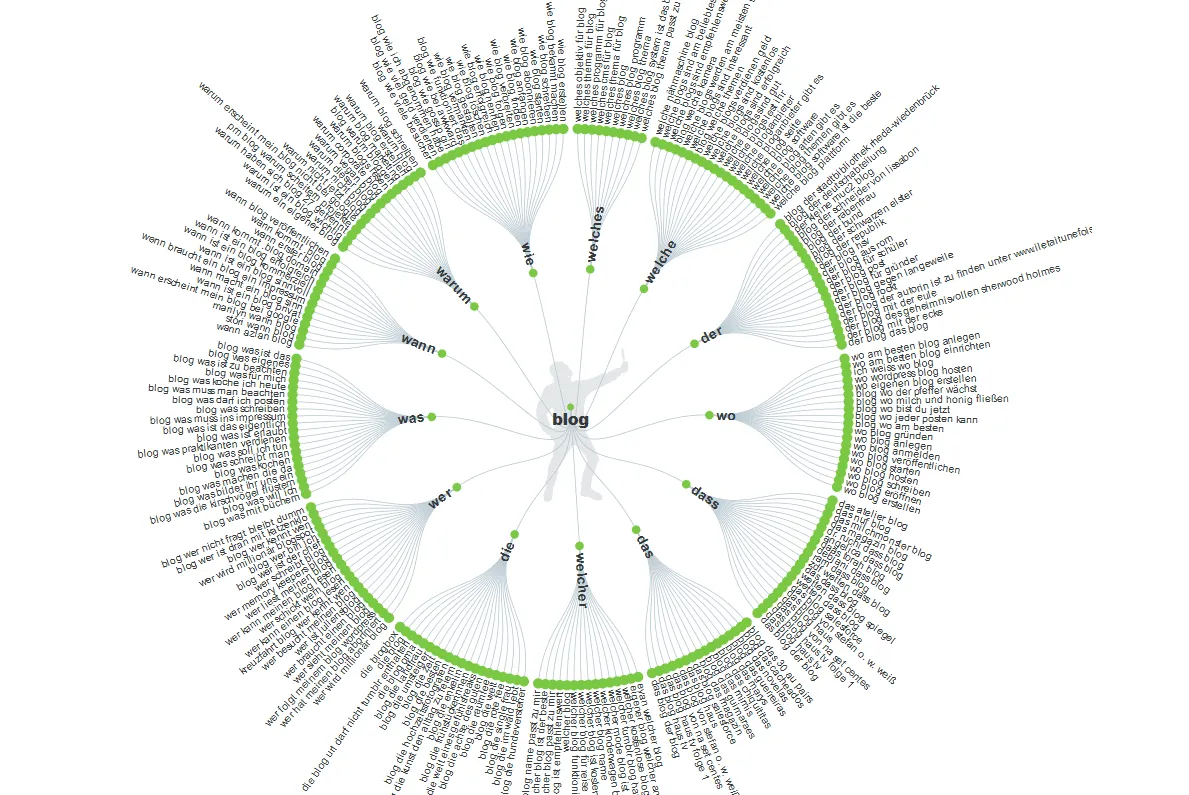
answerthepublic.com provides you with countless suggestions for your search terms. The results are listed under various categories such as Questions, Prepositions, and Comparisons. In addition, all suggestions are sorted alphabetically. The tool is excellent for also searching for the target audience’s questions and thus perhaps getting to know their problems better. The tool is completely free and should also be taken into account in every research effort.
Keywordsh***er.com
Admittedly: Keywordsh***er is a somewhat crude name, but this free tool really packs a punch and churns out an incredibly large amount of interesting keywords. On top of that, it’s very easy to use.
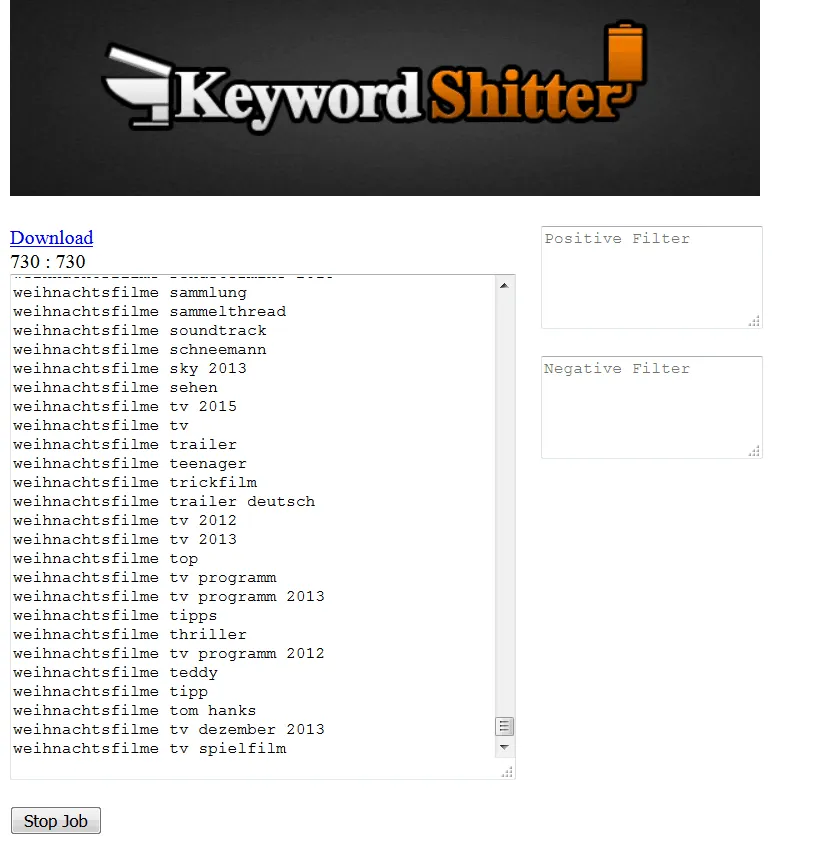
More free keyword tools at a glance:
- https://alsoasked.com/
- https://moz.com/explorer
- https://corpora.uni-leipzig.de/de?corpusId=deu_newscrawl-public_2018
How to Continue….
Once you’ve collected all your keyword ideas in an Excel list up to that point, you can already start sorting them. Click on “Data” in the tab at the top and then on “Remove Duplicates” to save yourself unnecessary extra work.

Many tools also suggest a lot of terms that probably won’t fit. If such terms have been added to the list, it’s time to remove them. Example: you want to research more ideas on the topic of SEO, and the list contains suggestions for SEA or Facebook marketing. Only you can determine which terms are suitable (unfortunately, no tool does that for you).
Why So Many Tools for Data Collection? Isn’t One Tool Enough?
Many tools use different data sources, and this delivers different results. In order to collect as many keyword ideas as possible, you should, where possible, also use many different tools for gathering terms. Duplicate or unsuitable keyword ideas can still be sorted out later. How different the ideas of the keyword tools are in places is illustrated on https://backlinko.com/keyword-research-tool-analysis and explained well. For example, the Google Keyword Planner delivers the fewest ideas.
In the next step, for all relevant search terms, the monthly search volume should be determined.
Keyword Analysis with Paid Tools: Determining Search Volume
With tools like Sistrix, Metrics.tool, and Xovi (there are a few more), you can analyze your competitors’ keywords and thereby come up with further interesting keywords. The tools are paid, but they’re definitely worthwhile for research and competitor analysis, since some interesting, new keywords can quickly be discovered here.
The three tools also offer keyword research. So you can collect further ideas here. Now let’s move on to the next step: determining the monthly search volume of the search terms in your list.
Determining Monthly Search Volume
The free tools you’ve gotten to know so far are already very good for research and would actually be completely sufficient. However, there is no truly free tool that could show you the monthly search volume. This used to be possible via the Keyword Planner from Google Ad(words). However, this now only works when an active campaign is running. To find out the monthly search volume, we recommend kwfinder.com or ahrefs.com.
With this paid tool, all terms can conveniently be entered from our list via an import function using copy and paste, and the monthly search volume can be queried. Export the list – we’ll repurpose it into a clear keyword master list using the pivot function.
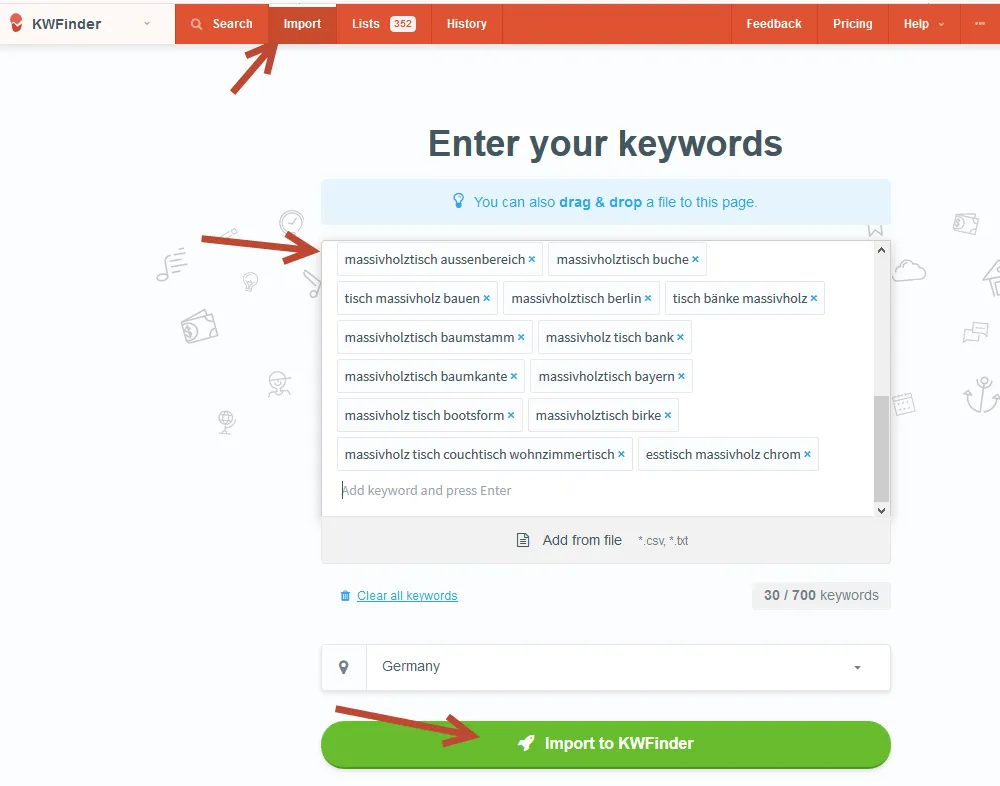
Via the import function, you can enter all the keywords from your research here and find out the monthly search volume
Of course, there are also countless paid alternatives, such as secockpit, which likewise all show you the monthly search volume and have practical import and export functions.
Anyone who doesn’t want to spend money on keyword research should take a look at the following tools:
- Keyword Surfer:
chrome.google.com/keyword-surfer - Keywordtools.org:
keyword-tools.org - Ubersuggest:
app.neilpatel.com/de/ubersuggest - Karma Keyword Tool:
derdigitaleunternehmer.de/karma-keyword-tool/
Unfortunately, the free tools are sometimes heavily limited. But to quickly find out the search volume for a few terms, they’re sufficient. For larger lists, however, there’s no way around paid tools.
- Important note I: the PPC price per search term tells you whether the keywords trigger conversions (purchases) – if no one pays for it, then the keyword probably won’t bring in anything either …
- Important note II: with Google Ads, selected keywords can be tested for conversion. Here you can then select which keywords you’ll later optimize for SEO and which you won’t.
- Important note III: search volumes are only historical figures. The exact search volume is therefore always very vague. Changes due to trends, politics, etc. can significantly change the search volumes!
You now have all the keywords compiled in an Excel list. Go through it completely once more and delete all the keywords that aren’t relevant enough for you, and make sure that you have no duplicates.
Don’t Blindly Trust the Search Volume: Zero-Volume Keywords & Hidden Gems
Classic keyword tools are always based on historical data. This carries two big dangers for your strategy:
- Emerging trends are overlooked:
Brand-new topics or sudden hypes often show a search volume of “0” in the tools, because no one searched for them in the past. So be sure to use tools like Google Trends to identify emerging topics (rising queries) early, before the competition wakes up. - High search volume doesn’t always mean many clicks:
A keyword may have tens of thousands of searches a month on paper. But if it’s a simple, information-driven question (e.g., “How old is Angela Merkel?”) that Google answers immediately via a featured snippet or an AI Overview directly in the search results, hardly anyone still clicks through to your website (zero-click searches). So always analyze what the search results page (SERP) looks like before you blindly optimize for search volume.
Keyword Analysis: Correctly Assessing the Competition
Before we finalize the keyword map using a pivot table, you should first take a realistic look at your keywords: does your website stand a chance of moving up for the keywords found during the research?
There’s no universal answer here, since every website and every competitive situation is different. For each keyword, look at who’s in the TOP TEN. If you have especially many short-tail keywords and/or keywords with a transactional search intention on which a high PPC price is already being bid (prices per click on Google Ads), it could become very hard for many websites. If big brands that run TV advertising are milling around in the TOP TEN, it becomes especially tough for you. For clients exposed to such high competition, we therefore always advise going for long-tail keywords, since short-tail keywords are often extremely hard-fought.
Tools like KWFinder or SEcockpit do try to determine the competition, but they often analyze only a few metrics, such as the Domain and Page Authority from Moz, and then make statements that are frequently unrealistic. Just because a single Amazon subpage has no links from outside doesn’t mean you’ll easily move up here.
You should pay attention to the following points during the competitor analysis in order to get an answer as to whether the keywords are feasible or not:
- Which pages are shown in the TOP TEN?
- Large brands are especially hard to overtake
- Forums, on the other hand, can often be cracked more easily
- Also, videos in the TOP TEN indicate rather moderate competition
- How strong are the link profiles?
- Here, don’t just look at the external links. Especially large brands have such good site architecture through their internal linking that a lot of link power flows to subpages that have no external backlinks and are therefore hard to overtake
- How is the search intention answered? How is the content? Is it possible for you to overtake the competition here in terms of content?
- How well does the competition carry out the on-page optimization of their pages? You can often tell from a “site:” query whether the competition optimizes its pages well or not so well. If the title and description are well maintained, they’ve done their homework and have possibly already optimized further…
Common sense helps enormously in assessing the competition. You can often tell at first or second glance whether the competition in the TOP TEN does SEO excessively or not. Do the pages seem outdated or fresh and up to date? Is there constantly new content? Are the social media channels used, and so on? From this, you can conclude whether optimization is happening here or not.
Further points of the SEO competitor analysis can be found as an article in our blog.
SERP Analysis: The Right Content Format for the Keyword
The competitor analysis is important, but it’s just as important to analyze the Google search results pages (SERPs) for each keyword.
The SERPs have changed massively and no longer consist only of blue text links. For many searches today, videos, product grids (free listings), or large AI Overviews are prominently displayed directly.
What this means for the competitor analysis: a modern keyword research effort absolutely must analyze which content format Google prefers for the respective search term. If the top results for your most important keyword consist of short videos and shopping grids, the best landing page won’t do you any good.
So during the competitor analysis, note down directly which media format (text, video, image, structured product data) absolutely must be produced in order to have any chance at visibility at all.
Keyword Clustering: Creating a Pivot Table with All Relevant Search Terms
If you’ve started keyword research for a larger site or several subpages, it’s worthwhile to assign the many keywords to categories or directly to the respective URL. That way you can always see which URLs should be optimized for which keywords.
If you like, you can also enter the search intention here. In our example, we left it out because it’s about research for an online shop and all the keywords fall within the area of commercial searches.
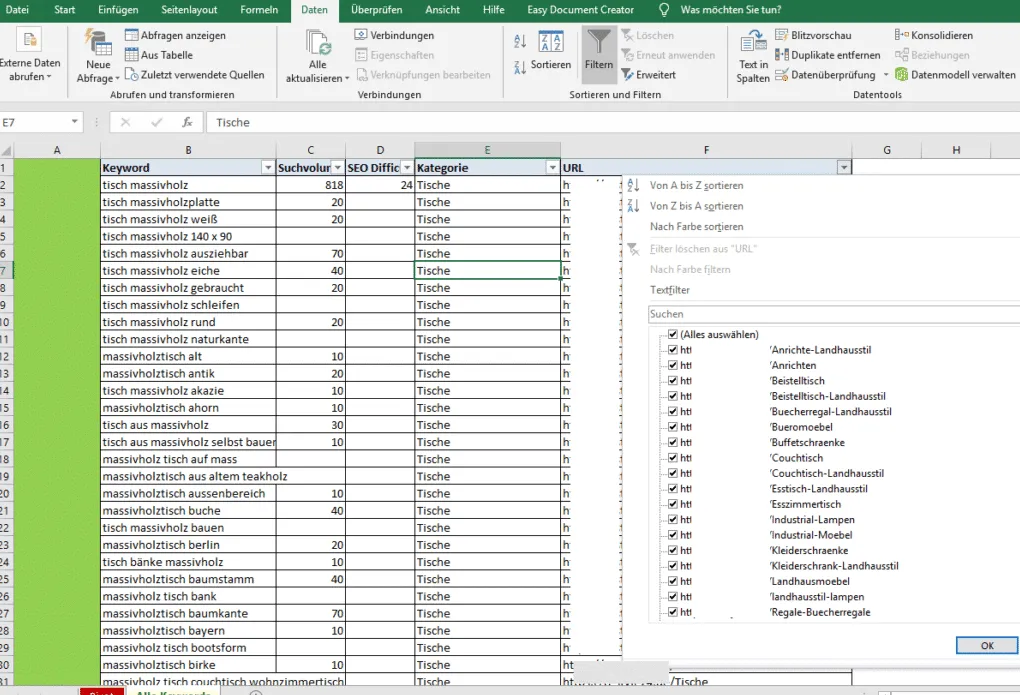
Using a pivot table, you can make the data much clearer and thus create a URL & keyword map. To do this, click on “Insert,” then select all the data that should go into the pivot table, and click OK (see image).
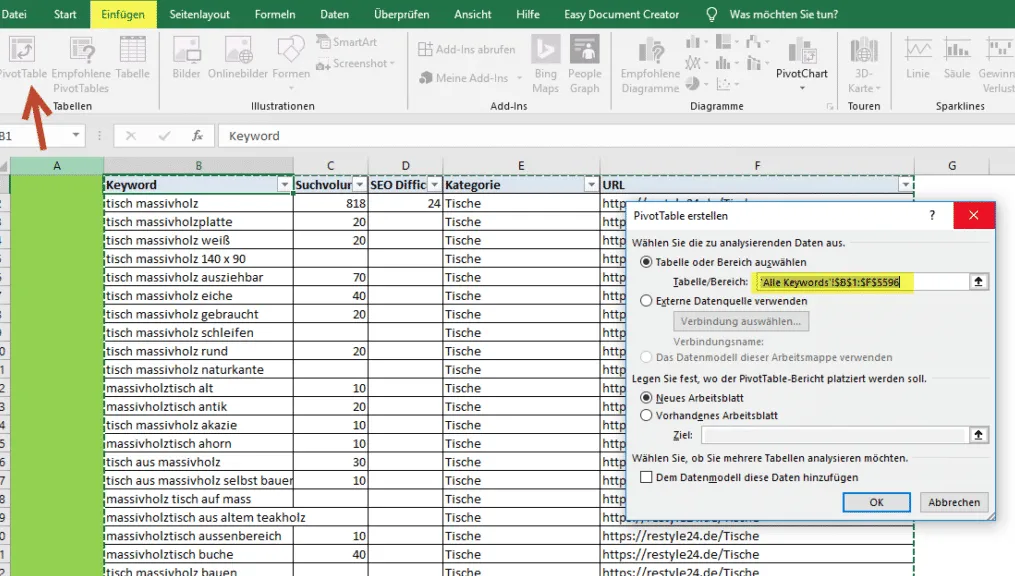
A new tab with all the data you selected is created. Here you can now choose how the data should be displayed and which values it should be filtered by.
As rows, in our example we selected “Categories, URL, and Keyword.” The value is determined by the monthly search volume:
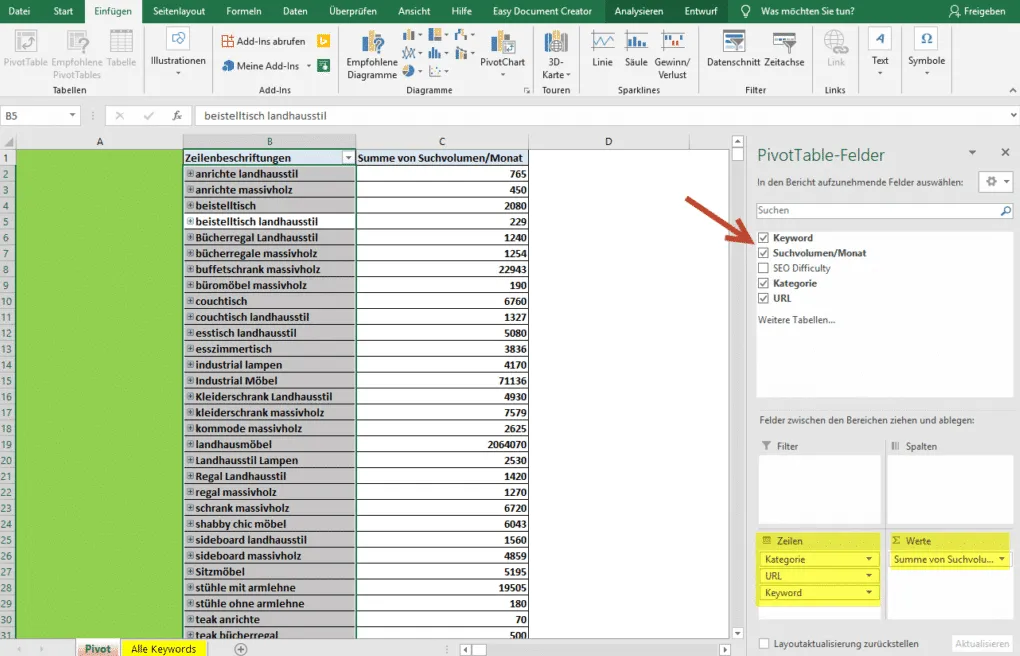
Thanks to the pivot table, you now see directly which keywords should be optimized for which URLs and how high the respective search volume is.
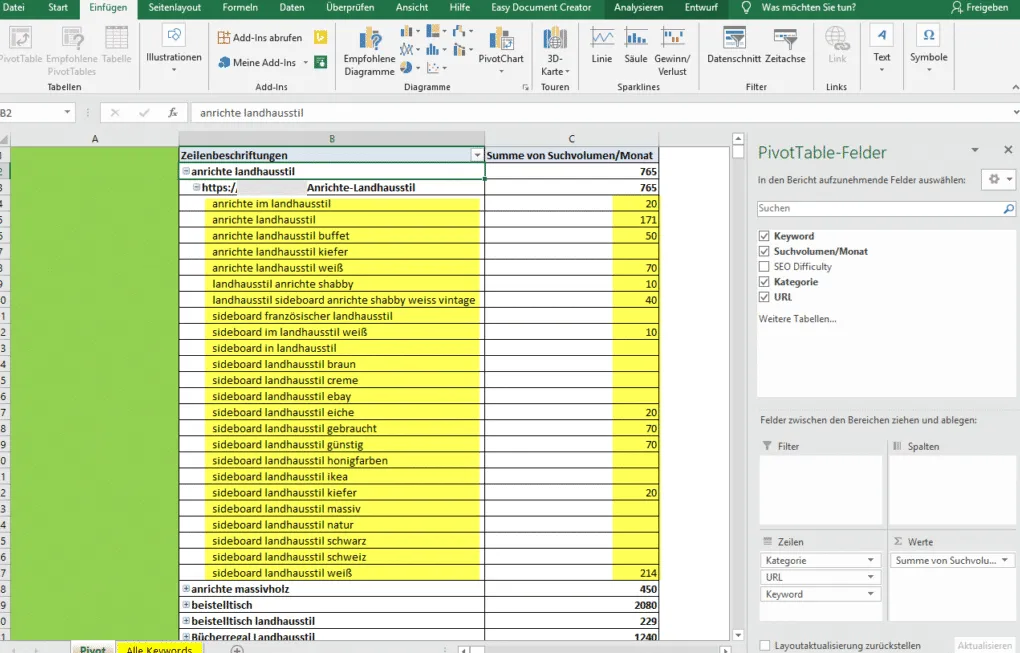
With the pivot function in Excel, you have many different ways to let loose. Credits for creating such a keyword map go to Seokratie and their blog article on this topic.
Download an example of a master keyword list
Conclusion
You’ve done it – you’ve been shown countless ways to find keywords for your SEO campaign and how to sort the large amount of data in Excel more clearly. By the way, keyword research is never completely finished.
Regularly observe the competition and pay attention to trends in your industry. This way, you’ll probably continue to notice new, interesting keywords for your website that you can optimize for. Also think about how you want to analyze your website’s development for these keywords.
Tools like ahrefs.com, Serpwatcher.com or advancedwebranking.com enable you to track your website’s rankings for your keywords and thus conclusions about successes and failures to draw. Keep in mind that keyword research is only a first step.
SEO is a continuous process, and proper keyword research is the foundation for it. So never skimp on time or budget here!
FAQ on Keyword Research
The most frequently asked questions and answers
What is a keyword?
A keyword is a term that is entered into search engines to start a search. That’s why it’s also called a search term. Keywords can consist of one or more words. They play a central role in search engine optimization and search engine advertising.
How do I find out the search volume of a keyword for free?
There are various free keyword analysis tools with which you can query the search volume for a small number of keywords. Our favorite here is the browser add-on Keyword Surfer, which you can install as an add-on for the Chrome browser.
How do I define the search intent of a keyword?
Look at the TOP 10 on Google for the respective keyword. What information can be found there? This lets you quickly determine the search intent. It also helps enormously to question at which point in the customer journey the user is when entering the corresponding keyword, in order to establish which search intent the keyword has.
What are the best paid SEO tools for keyword research?
There isn’t THE one best keyword tool. It’s advisable to always use several keyword tools in order to obtain as large a keyword set as possible at the beginning. You can always thin it out later. Our favorites among the paid keyword tools are:
- kwfinder.com
- Sistrix.com
- ahrefs.com
How do I assess the chances of whether I can rank for a keyword?
Take a close look at the top-ranked results – are big brands like Amazon or Zalando represented there, or smaller, unknown niche sites with a weak link profile? For especially hard-fought keywords with high competitive pressure, it can take a very long time until good rankings are achieved.
What tasks come up in SEO after a keyword research?
As soon as the keyword research is complete, you should consider everywhere the keywords can be incorporated. A detailed SEO audit with all optimization potentials is of course a basic prerequisite here. Only through the SEO audit and the keyword research can a sensible SEO strategy be developed.
What is a keyword map and how do I create it?
A keyword map visualizes the information architecture of the website and shows which keywords should appear on which pages. Such a keyword map can, for example, be created quite easily with Excel or (visually much better) with tools like xmind.net.
Need a GEO check?
Get in touch for more visibility – in search engines and AI answers.
- More visibility and leads via Google and AI chats
- Sustainable SEO & GEO strategies
- Personal support


