
Over 100 SEO tools presented (free and paid)
There are many SEO tools that support various areas of search engine optimization, such as analyzing the website for OnPage optimization opportunities, monitoring the rankings in the search engines, or analyzing backlinks (OffPage optimization).

On the one hand there are classic SEO tools that, like a program, have to be installed on the user's desktop, and on the other hand SaaS (Software as a Service) tools that are accessed, for example, via the user's browser.
Especially with so-called OnPage crawlers, which read out websites and thus have to collect and store a great deal of data, SaaS solutions are very popular. A normal desktop PC otherwise takes a very long time to read out and store so much data.
Breakdown of SEO tools by area of application
Most SEO tools often try to occupy a specific area of application in SEO, but there are also universal tools that try to cover every area of search engine optimization. The areas that SEO tools cover can be:
- Keyword research
- Status/server monitoring
- Tracking of rankings
- Traffic tracking
- Conversion tracking
- Measuring user behavior
- OnPage analyses
- Checking backlinks
- Content analyses
The costs of SEO tools
The costs of an SEO tool vary widely. There are both free and paid tools for search engine optimization. Many paid tools offer newcomers a free version with a smaller scope.
There are providers that offer “trial versions” – here the user can try out the complete tool for a small final price for a few days. The paid tool Ahrefs.com offers such an option. The price ranges among the providers also vary, starting at a few euros a month up to enterprise solutions for over €1,000 per month.
Over 100 SEO tools presented
There is a very large selection of different SEO tools, some of which we have compiled here. Many of them are completely free or offer a free version with limited functions.
OnPage analysis
Screaming Frog
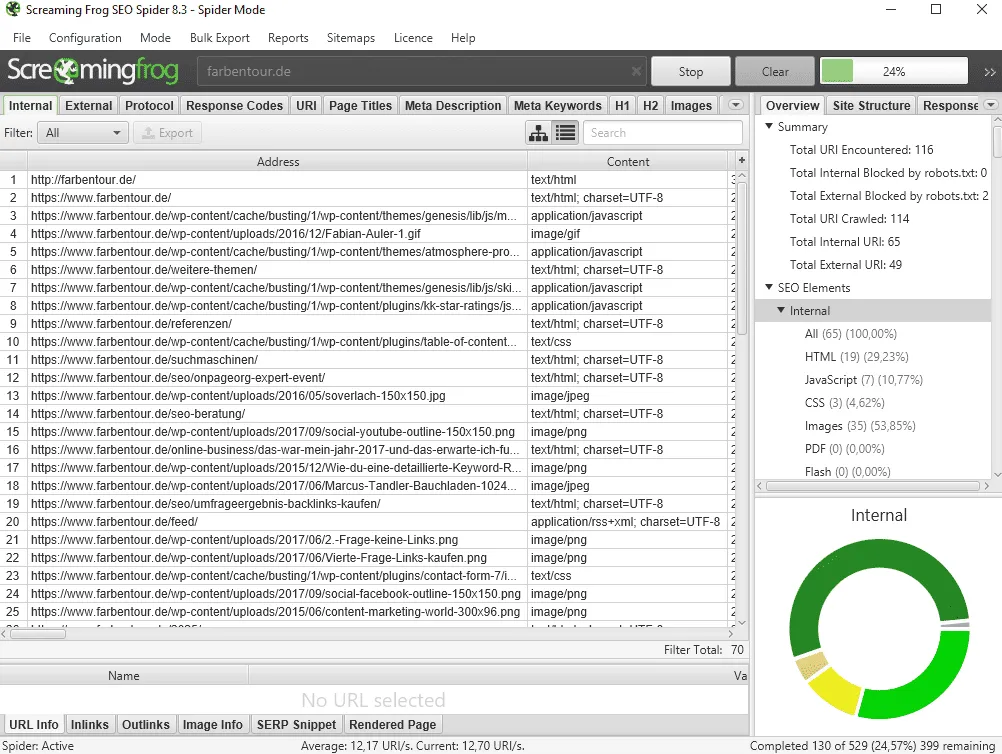
The classic: With Screaming Frog you can, in the free version, crawl up to 500 URLs and gather a wealth of information about your website. Screaming Frog is a desktop program that you have to install on your PC. The program is very popular in the scene and I use the tool myself regularly to get an overview of new projects. The program lets its crawler run over your target page and captures the relevant data – e.g. which titles are used, URL path, description, and much more information. Screaming Frog also offers many other functions such as creating a sitemap, reporting functions, status codes, use of H1–H2 headings, and much more.
I can recommend Screaming Frog to everyone for OnPage optimization!
https://www.screamingfrog.co.uk/
Seobility
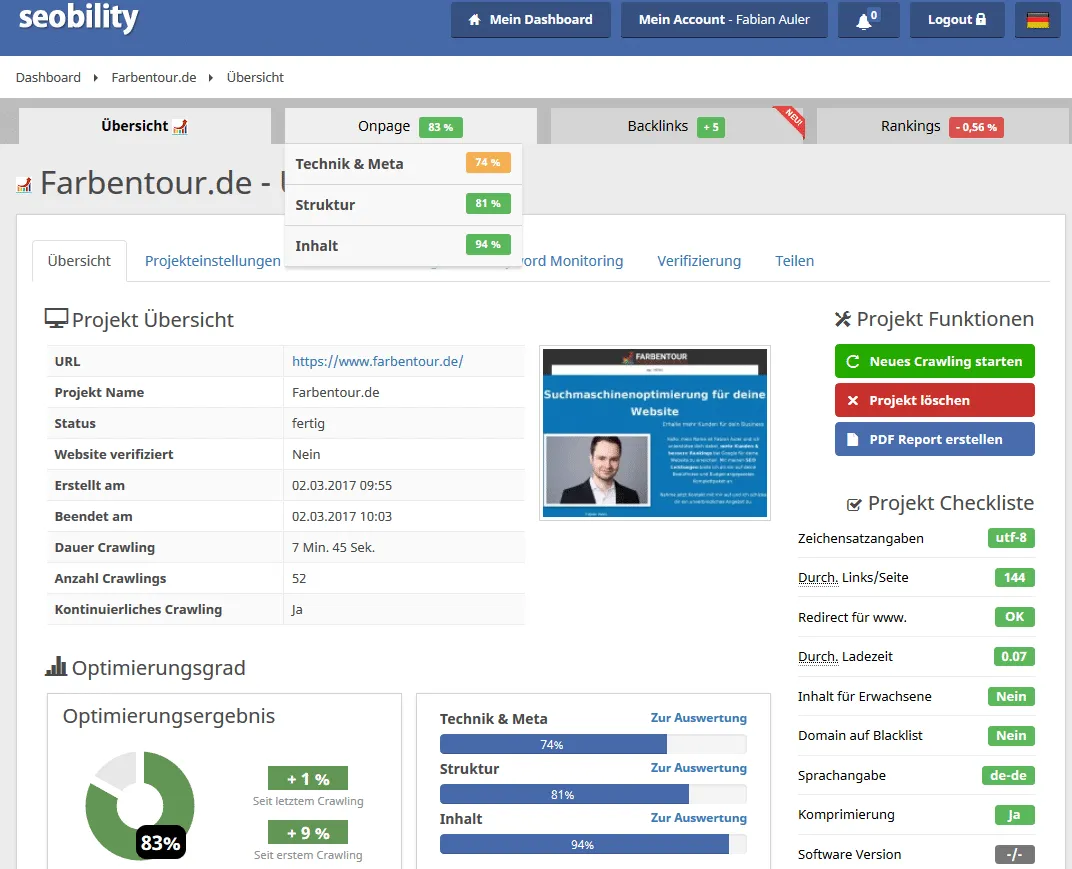
My personal favorite among the SAAS SEO tools: SAAS stands for “Software as a Service” and means that the software has to be used over the internet. Seobility reads out countless data about the target website with its crawler, similar to Screaming Frog. In doing so, dozens of various possible sources of error are analyzed and listed for you in an easy-to-understand way. Unlike Screaming Frog, with Seobility even beginners can get their pages into shape in terms of SEO.
For every error that Seobility finds on your page, there are point deductions. An error-free website has 100 % optimization status; but if you have many errors, the optimization status can quickly land in the red zone below 30 %. Here is the point of criticism: newcomers become too fixated on these percentage points. These should be a rough guide value and not be treated like the holy grail. Look at every possible error and decide for yourself, or have a specialist advise you, whether your page really has OnPage errors or not.
I can recommend Seobility to you: With the free version you can carry out extensive OnPage analyses for websites with up to 1,000 subpages.
SE Ranking

Before this test, SE Ranking was not yet known to me. Recently, however, you hear and see more and more about this tool provider. SE Ranking wants to be an all-in-one SEO platform and, in addition to a powerful website audit, also offers functions such as keyword research, rank tracking, backlink analysis, competitor comparisons, and AI-supported solutions.
Especially for OnPage analysis, SE Ranking is a practical SaaS solution: the integrated website crawler searches your entire website and uncovers technical errors, duplicate content, missing meta titles, and many other optimization potentials. The results are correspondingly presented in a large overview and supplemented with various recommendations for action, so that even beginners can improve their page step by step. In addition, SE Ranking offers AI features such as the ChatGPT Tracker or analyses of Google AI Overviews, in order to also keep an eye on new developments in the search engine field. With the free version you can test SE Ranking for 14 days.
Xenu’s Link Sleuth
Xenu’s Link Sleuth is a piece of software that you have to install on your PC. The tool crawls your website for various information. Xenu’s Link Sleuth is helpful for analyzing your website, to detect broken links, links on your page that no longer work, and to have all outgoing links on your website displayed. This way you can create a free overview of all (internal) links on your website.
http://home.snafu.de/tilman/xenulink.html
Beamusup
Beamusup, similar to Screaming Frog and Xenu’s Link Sleuth, is a crawler that queries your website for various information. With Beamusup you can have your projects checked for sources of error such as missing page titles or duplicate content problems.
http://beamusup.com/
SISTRIX Smart
With Sistrix Smart you can have your website analyzed and track up to 100 keywords. For smaller websites a good and, above all, free option to increase your chances of better rankings. The tool checks up to 1,000 subpages free of charge. To use it, you first have to register free of charge with your data (email and name).
SEORCH
On seorch.de some important factors for successful OnPage optimization are checked. The analysis tool provides information about whether the meta description has been maintained correctly, and the use of ALT attributes for the images on your website as well as the structure of the page architecture (e.g. the correct use of H1, H2, etc.) are also checked. The tool furthermore measures technical factors such as loading times, HTML errors, sitemap.xml, and much more.
For an initial quick analysis of individual URLs, seorch.de is perfectly fine.
BROWSEO
Do you want to find out how your page looks from the perspective of the Google crawler? With BROWSEO you can have your website displayed through the eyes of the Googlebot and thereby detect and fix possible errors. Handy: BROWSEO is also available as an APP for smartphones with Android or iOS.
Seitenreport
On seitenreport.de individual URLs are automatically checked for over 60 possible sources of error: from technical structures such as character encoding or CSS errors to usability and access figures, and even server and domain data, various points are checked, and completely free of charge. But be careful: unfortunately the tool is no longer entirely up-to-date, as, for example, the external Google PageRank and a listing in DMOZ are queried … both relics from days gone by.
http://www.seitenreport.de/
Seitwert
Seitwert offers you a free 30-day trial phase, in which you can carry out a large number of evaluations of the current rankings or the link profile of your page and technical analyses as well as recommendations for improving your website.
http://www.seitwert.de/
Seolingo
Seolingo is a piece of software that you have to install on your computer. The software analyzes your page and provides numerous tips for optimizing your website. Free for small websites with up to 100 URLs, here you can analyze your page for meta tags, content, keywords, images, page architecture, and much more.
Siteliner
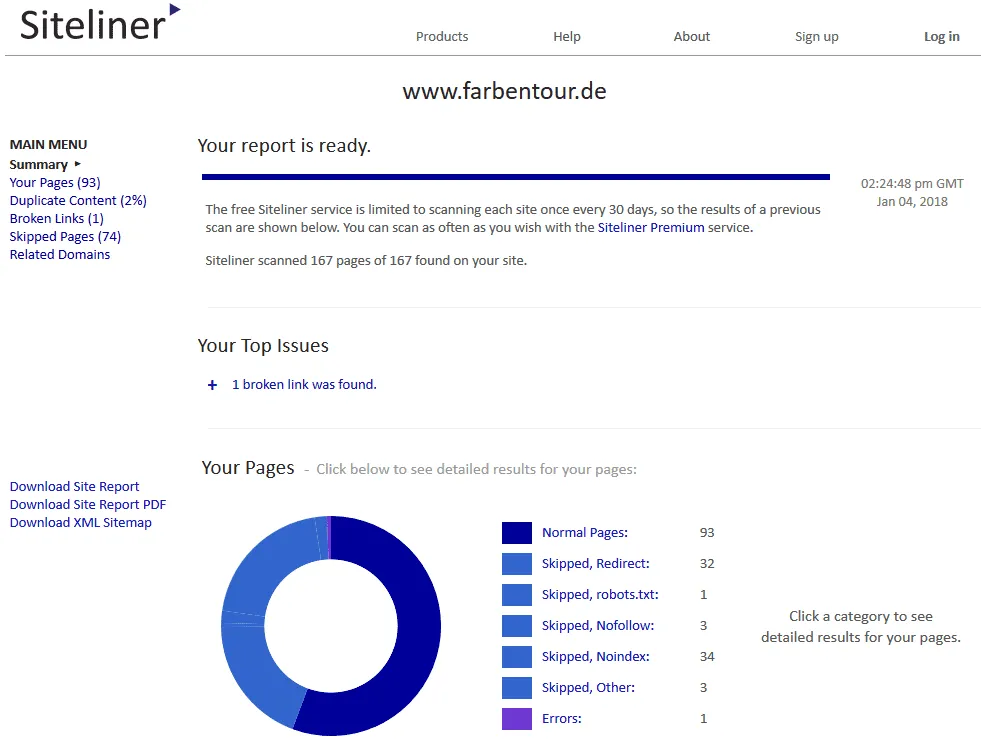
On Siteliner you can track down duplicate content on your page. Broken links, loading times, word count, text-to-code ratio, links, and much more are also checked. A solid OnPage and content analysis tool that is helpful for a quick initial analysis.
http://www.siteliner.com/
Webceo
With the 14-day trial version of Webceo.com you can analyze your website. The tool examines your page for OnPage errors such as overly long loading times, sitemap generators, and broken links. In addition to the OnPage tool, the tool also offers extensions for your link building, your keyword research, rank tracking, and social media.
https://www.webceo.com/
Woorank
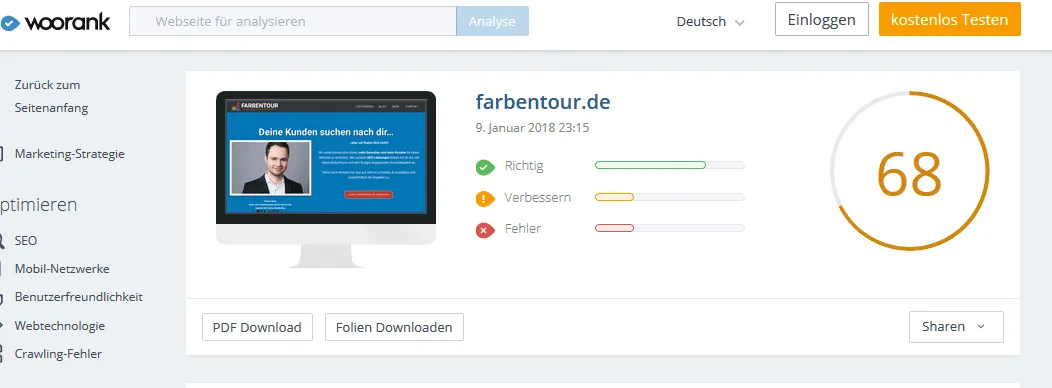
Also usable free of charge for 14 days is the analysis tool Woorank.com. Here you can detect possible errors on your page. The internal linking is checked, the H1 elements of your website, the mobile browser friendliness, as well as the usability of your page. Furthermore, with Woorank you can carry out a competitor analysis, and a keyword research tool is also included in this version.
https://www.woorank.com
Seopowersuite
The Seopowersuite consists of several modules, one of which is the Website Auditor, which analyzes your page and gives you tips for optimization. The other modules are for monitoring the rankings as well as for analyzing the link profile of your website.
http://www.seopowersuite.de/
Raventools
On raventools.com you can analyze a website (with up to 50 URLs per month) free of charge and in depth. In addition to the loading times and tips for optimization, it is checked whether your meta specifications are optimal, whether the robots.txt does not accidentally block important search engine bots, and many other points.
https://raventools.com/site-auditor/
Eebew
Eebew is an SEO software that, similar to Screaming Frog, crawls your page and collects information that you can use for OnPage optimization. The operation is a bit old-fashioned; with a little getting-used-to time, anyone should be able to get along with the software. The basic version is free and checks 500 URLs with it, perfect for smaller websites and blogs.
Loading times and Core Web Vitals
In the analysis of loading times and the user experience, the Core Web Vitals play a decisive role. Tools such as PageSpeed Insights, GTmetrix and Pingdom break your page's performance down into the three core metrics: LCP (Largest Contentful Paint for the visual loading time), CLS (Cumulative Layout Shift for the visual stability), and the interaction metric.
In March 2024, Google officially replaced the old metric FID (First Input Delay) with INP (Interaction to Next Paint). While FID only measured the very first delay, INP evaluates the page's response speed across the entire duration of the user's visit. Use these tools specifically to track down potential JavaScript blockages and lower your INP value.
WebPagetest
Long loading times can jeopardize your rankings at Google. It is therefore advantageous if you measure them, in order to be able to quickly improve loading times that are too long if necessary. On the website webpagetest.org you can measure the loading times and, using the waterfall model, have it show you which files cause particularly long loading times. One of the most detailed and best websites for measuring loading times.
Pingdom Tools
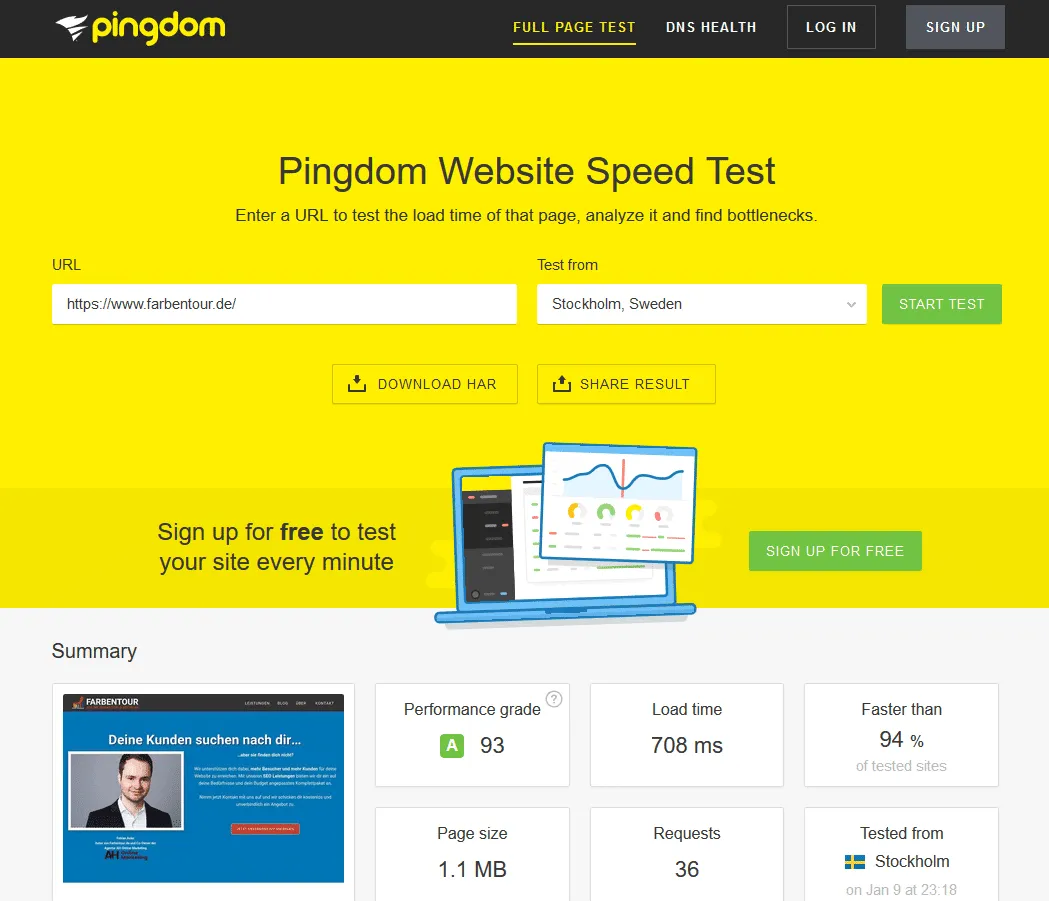
A handy tool that likewise measures your loading times and shows you potential improvement options. The tool checks various aspects of optimization such as active browser caching, image sizes, file sizes, and much more. Definitely worthwhile for an initial check. When using it, don't forget to switch the test server to a server that is located near the server on which your website is hosted. Otherwise, with far-away servers, your loading times are likely to be poor.
GTMetrix

GTMetrix measures your page's loading time and shows, using various graphs and curves, where your page still has improvement potential. The problem: according to the website, the test server is located in Vancouver, Canada, which is why here a delay can automatically occur and your website loads longer than if users from Germany visit your website, and therefore the values from GTMetrix are distorted.
PageSpeed Insights
The testing tool from Google itself for measuring your loading times. Here possible optimizations are shown to you in a traffic-light system, such as compression of Java and CSS files, server response time, etc. The loading times are measured both on desktop and on mobile.
https://developers.google.com/speed/pagespeed/insights/
Site quality checker
SERP Snippet Generator
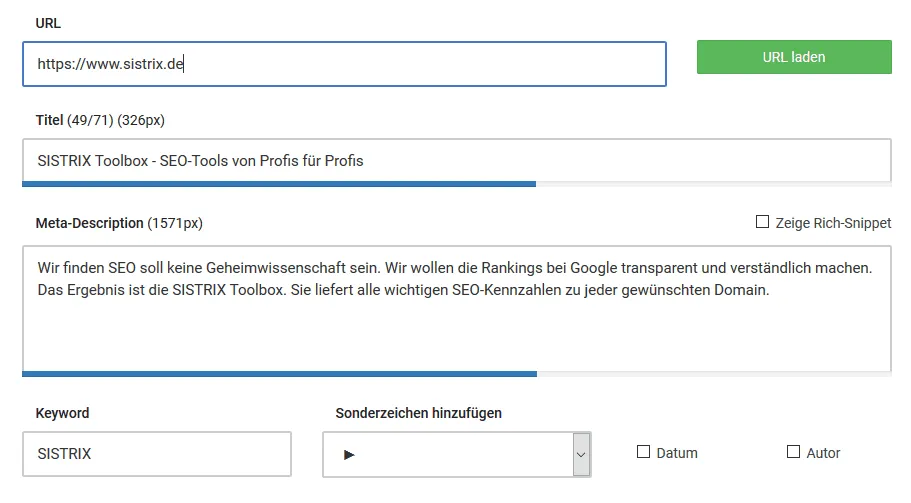
The SERP Checker from Sistrix does exactly what its name says: it checks the title and the meta description of individual pages. You can have it show you how long your title/description is and view changes in a preview image. A handy tool that I often use to create the perfect meta specifications.
https://app.sistrix.com/de/serp-snippet-generator
Here's another alternative: https://www.snippet-generator.com/
W3C: Markup Validation Service
The W3C.org Markup Validation Service analyzes individual URLs according to the standards of the HTML and CSS code. Faulty programming in the source code is quickly uncovered with the tool. Individual errors are no problem for the search engine crawlers; frequent errors can have negative effects. Definitely check and optimize.
Uptimerobot

A great tool for monitoring the permanent availability of your website and being quickly alerted in the event of a possible server outage, before the rankings at Google & Co. have disappeared. 50 URLs to test cost nothing here, but only require a free registration that is quickly completed. Recommended for important website projects where every second of downtime hurts.
Statuscake
Comprising similar functions to Uptimerobot, Statuscake checks at various intervals whether your website is reachable and informs you immediately if it is not reachable. The limited “Community” version is free. Anyone who wants more has to pay for the service.
Schema.org and structured data
Schema markup generator
By means of structured data, the meaning of individual content can be marked for the search engines. This is a good way to show the search engines what your page is about, which cannot be defined with HTML. This way you can precisely mark the author of a blog, precisely define product data, or announce upcoming events. Thanks to Schema.org, a joint project of Microsoft, Yahoo, and Bing, you can use this structured data. There are many “markup languages” for structured data. One of the most popular languages is JSON ID.
https://technicalseo.com/tools/schema-markup-generator/
Rich Results Test
Do you want to test the structured data that is on your website? With the testing tool from Google, the current data is shown to you and – if present – errors and optimization tips are displayed.
Rich Media Testing Tool
With this testing tool from Google you can analyze whether your page supports rich media snippets or whether you first have to build them in correctly. Examples of rich media snippets can be, for example, an image carousel, recipes, or events.
https://search.google.com/test/rich-results
Further options for OnPage optimization
Robots.txt Generator
With the robots.txt generator on Pixelfolk.net you can create a file for your website that transmits certain instructions for search engine bots – such as blocking the search engine crawlers for certain URLs, a shopping cart, or a login URL. With WordPress, a robots.txt file is used automatically by the CMS system. If you do not yet use a robots.txt file for your website, I can recommend this generator.
http://pixelfolk.net/tools/robots RObots.txt
Sitemap generator

The sitemap generator creates an XML sitemap for your website. For this you only have to enter the URL of your page and the online tool does the rest and creates a sitemap. With the free version you can create a sitemap for websites with up to 500 URLs.
An XML sitemap informs the search engines about pages of a website. This way the indexing process can be improved (no guarantee).
https://www.xml-sitemaps.com/
XML sitemap test
On the same website you can check whether your sitemap can be read correctly by the search engines:
https://www.xml-sitemaps.com/validate-xml-sitemap.html
SSL test
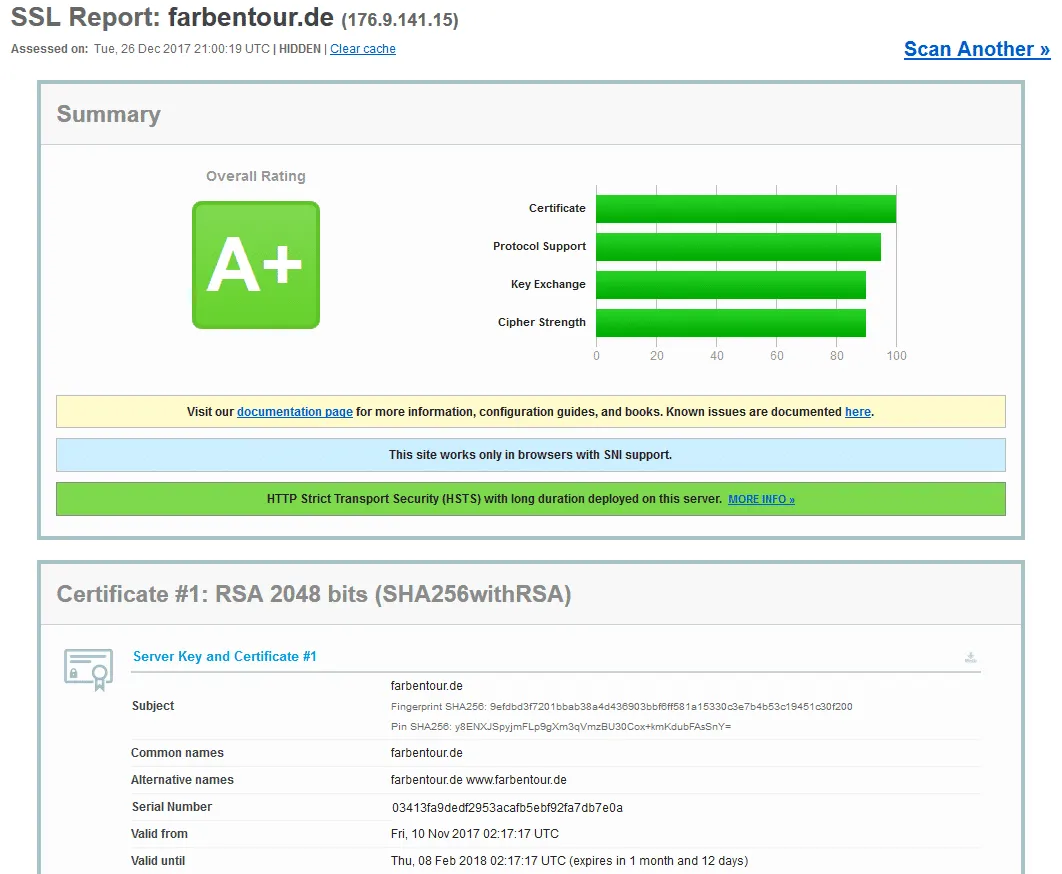
With the SSL testing tool on ssllabs.com you can submit the SSL certificate of a website and analyze it for potential errors. The tool analyzes various points and is free of charge. Especially cool is a handshake simulation on various operating systems and browsers. The website also gets a grade: the fewer errors, the higher the rating.
https://www.ssllabs.com/ssltest/
hreflang tag generator
The internationally known SEO specialist Aleyda Solis has posted an hreflang tag generator on her blog. With it you can mark which languages and countries your website should be relevant for. The hreflang tag is a tiresome topic, since errors can easily happen with multilingual websites. With this generator, setting the language and the country code should be no problem.
https://www.aleydasolis.com/english/international-seo-tools/hreflang-tags-generator/
- On https://hreflang.org/ you can check your page for faulty hreflang tags.
Am I Responsive?
With “Am I Responsive” you can view your website on various end devices such as tablet, phone, etc. and find and fix display errors. A handy little tool!
http://ami.responsivedesign.is/
Website analysis
Google Search Console
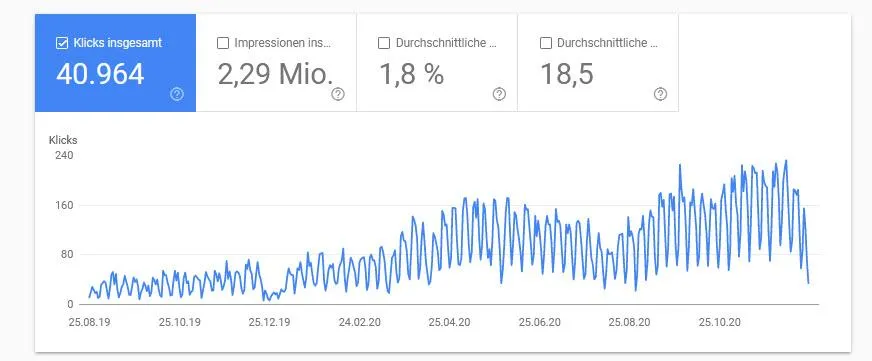
To optimize existing projects, website analysis is absolutely mandatory. The first of these that I'll introduce to you in this list is the Search Console, formerly Webmaster Tools, from Google. A mandatory tool, since the Search Console can be seen as a kind of mouthpiece of Google, with which the webmaster is informed about the quality of their website. In the Search Console you get information about the indexing status of your website, whether there are 404 errors. In addition, the click figures and impressions for important search terms for which your site is found are displayed. Should you receive a penalty from Google or should there be malware on your website, you are informed via the Search Console.
https://www.google.com/search-console/
Google Analytics
Google Analytics is THE tool for monitoring the traffic on your website. With Google Analytics you get shown how many visitors you get, what traffic sources there are, how long your visitors stay on your website, which pages they spend time on, and much more. The tool practically showers you with interesting data about your visitors and your website. Great tool, and all of it for free.
Keyword-Hero
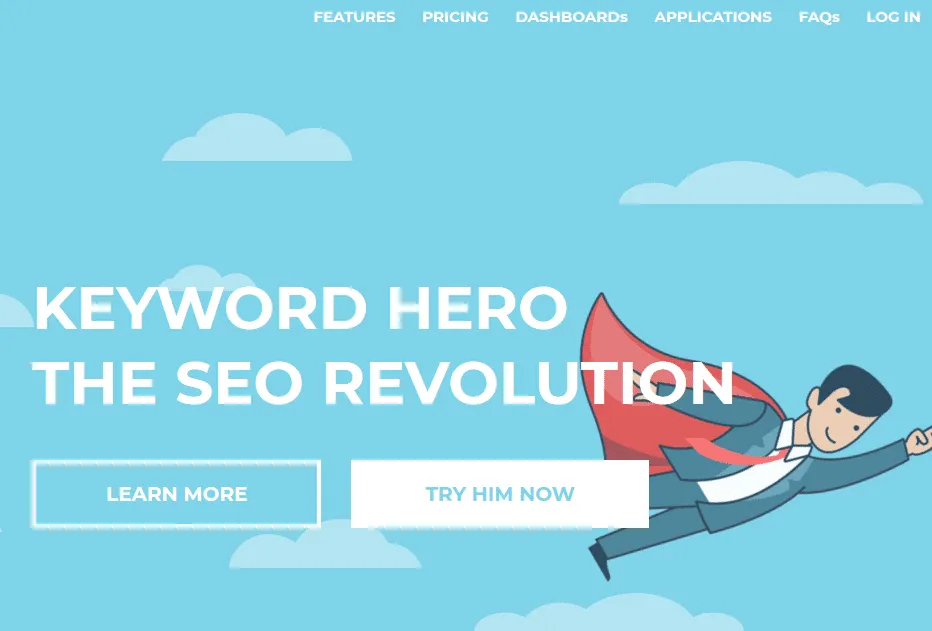
Does it annoy you that you can no longer trace, via Google Analytics, which search terms your visitors used to come to your website? Then Keyword-Hero can provide a remedy here. By switching to SSL encryption, Google discontinued the transmission of keyword data, and as a result it was no longer possible to see which search terms visitors used to visit your page. Keyword-Hero brings back the data about the organic search terms in Google Analytics that were previously listed with the note “not provided.” Keyword-Hero is in the beta phase and you can test 25 URLs of your website for free.
Bing Webmaster Tools
The Bing Webmaster Tools are the counterpart to the Google Search Console for the Bing search engine from Microsoft. Here you get everything you need to make your website fit for Bing. Analyze which terms visitors use to come to your website via Bing and submit your sitemap for Bing. This and more is delivered to you with the Bing Webmaster Tools.
https://www.bing.com/toolbox/webmaster
Matomo (formerly Piwik)
An alternative to Google Analytics that, according to the website, you can use in Germany in a data-protection-compliant way. You have to install Matomo on the server on which your website is hosted. It can be difficult for beginners; luckily there is a forum that is happy to help you with problems. With Matomo you can, similar to Google Analytics, analyze your visitors and their behavior free of charge.
Yandex Metrica
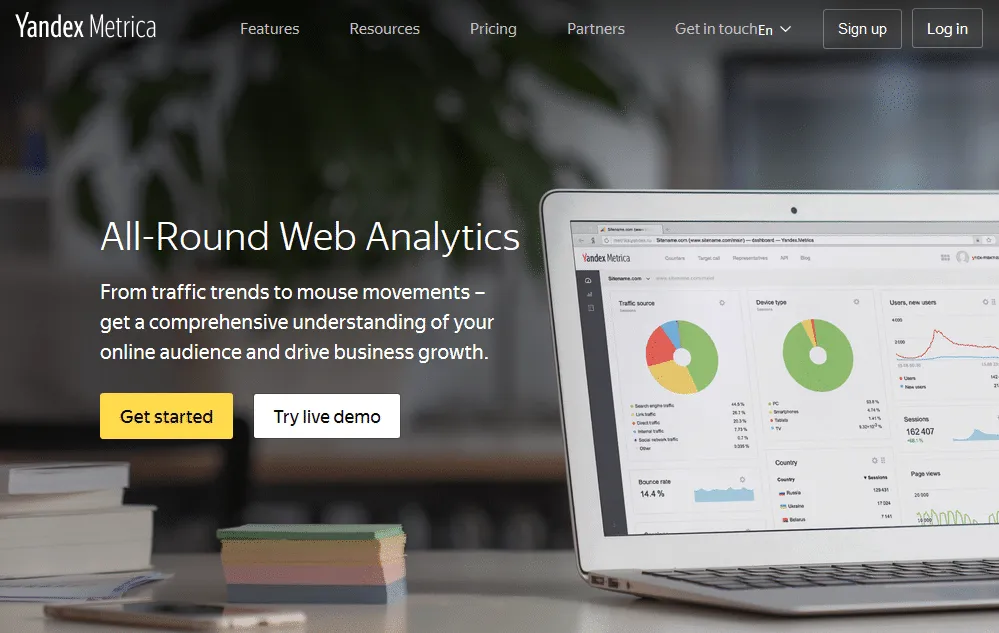
One of the largest search engines in Russia is Yandex. In addition to the standard analysis functions that you also have with Piwik and Google Analytics, Yandex's analysis tool Metrica offers you a few more bonuses that are not included with the competition. There is a heatmap, a scrollmap, or the option of tracing individual visitor sessions. In Germany, not entirely easy to use for data protection reasons. Otherwise a recommendable tool.
https://metrica.yandex.com/about
Google Data Studio
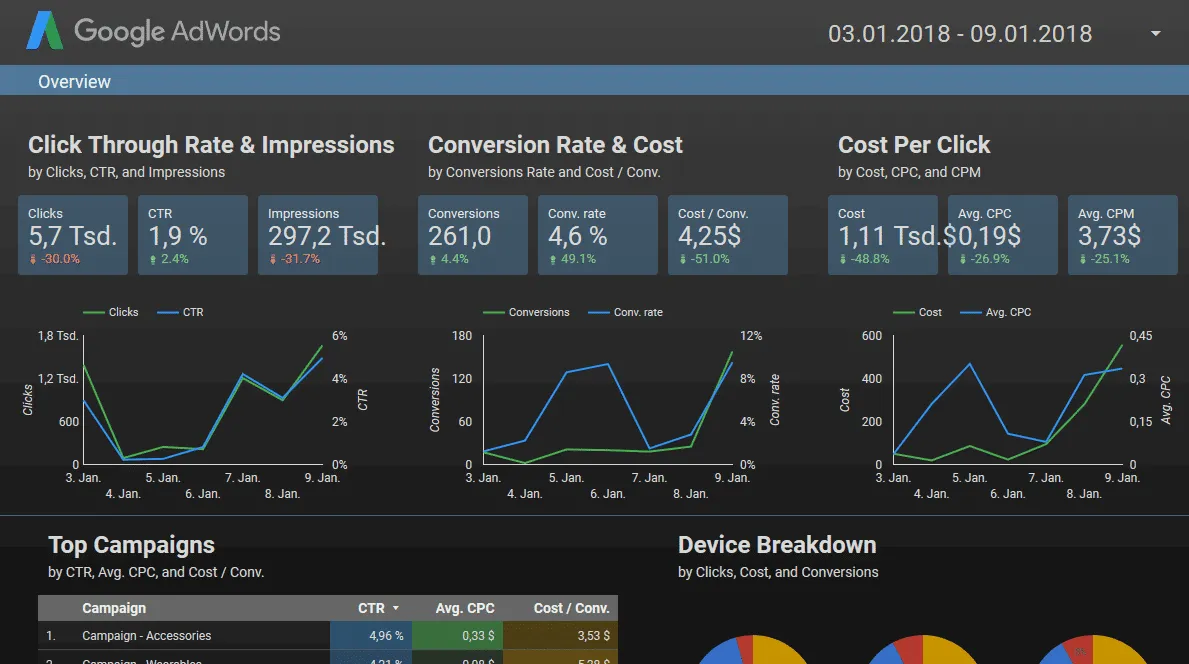
With Google Data Studio you can create reports for yourself and/or your SEO customers. After a familiarization period, you can then send detailed reports in a standardized way with just a few clicks, listing the data of various Google analysis tools, such as the Search Console or Adwords, in one report.
Analytics Edge
With Analytics Edge you can create automated Excel reports. On request, the tool pulls the most important metrics from various services, such as Google Analytics, Search Console, Adwords, Bing Ads, Facebook Ads, and automatically exports them into an Excel file. Super handy and a big time saver when creating SEO and SEA reports. The complete module can be tested free of charge for 30 days.
Keylogs.io

With Keylogs you can pull the insights from the Google Search Console and combine the data with Analytics as well as the Keyword Planner. You can also track keywords, pages, and your optimizations. There is a free trial version on the homepage. (Added on 21.03.2018)
https://keylogs.io/
SimilarWeb

SimilarWeb provides you with estimates about the traffic of websites. The visitor numbers are estimated and you can get a picture of how many visitors there are and from which sources, such as ads, organic search, or social media, the traffic comes. Furthermore, the tool shows referral URLs. An interesting tool for competitor analysis.
https://www.similarweb.com/
Mixpanel

Mixpanel is a Google Analytics alternative. With this software you can view the behavior of your visitors, analyze conversion funnels, carry out A/B testing, and much more. A comprehensive tool with good data visualization. The basic version is usable free of charge after registration.
https://mixpanel.com/
Hotjar
With Hotjar you are provided with a variety of tracking options: recording individual visitors, heatmaps, visitor surveys, and conversion funnels, in order to be able to better understand the buying behavior of your visitors. In the free basic version you can analyze the data of up to 2,000 page views per day.
https://www.hotjar.com/
Content optimization
Wortliga
Content, the holy grail of search engine optimization. In one way or another, the content on a website has gained in importance in SEO. Without good content that is perfectly tailored to the search intent and can be read well, hardly any good rankings can be achieved anymore in medium to fiercely contested markets. Wortliga, with its text analysis tool, helps you find weak points in the content and fix them if necessary. The readability is analyzed and elements that disrupt the reading flow are highlighted in color: e.g. filler words, overly long sentences, and more. An absolute must-recommendation.
http://wortliga.de/textanalyse/
Text analysis tool
Similar to Wortliga, this tool analyzes the readability of your text and highlights disruptors in color that you can improve if necessary. Disruptive elements for readability can be, with this tool, filler words, nominal style, passive sentences, modal verbs, phrases, and overly long words and sentences.
http://www.textanalyse-tool.de/
Seobility WDF-IDF
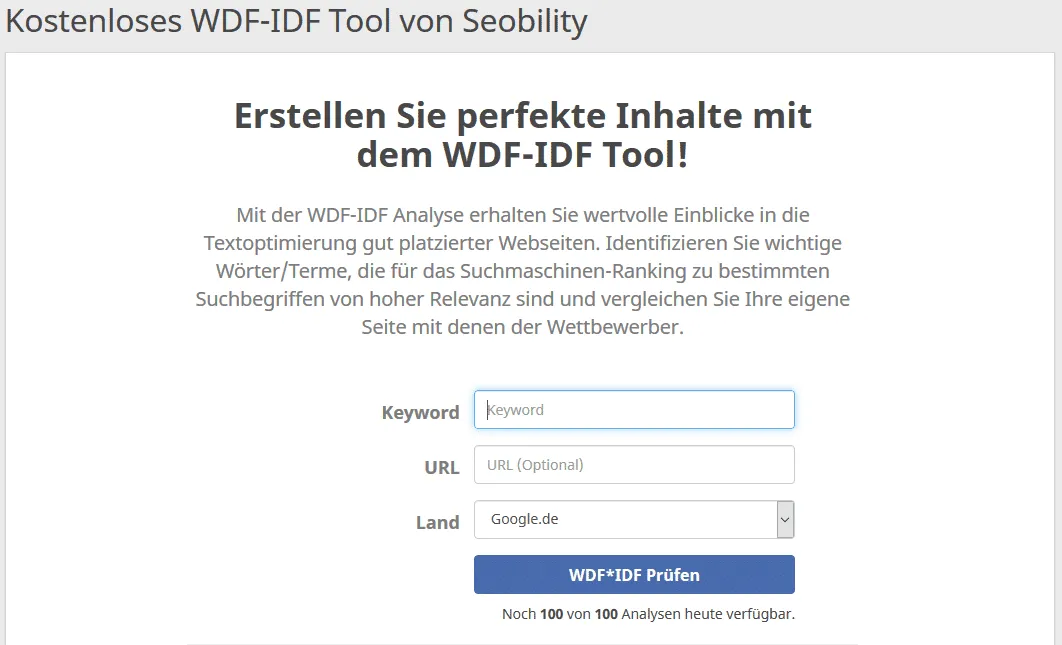
Seobility.net was already mentioned in this list; it earns a further mention through its free WDF-IDF analysis tool. Up to five analyses per day can be queried here free of charge. The tool provides the suggestions for further terms by which you should expand or shorten your text.
Copyscape
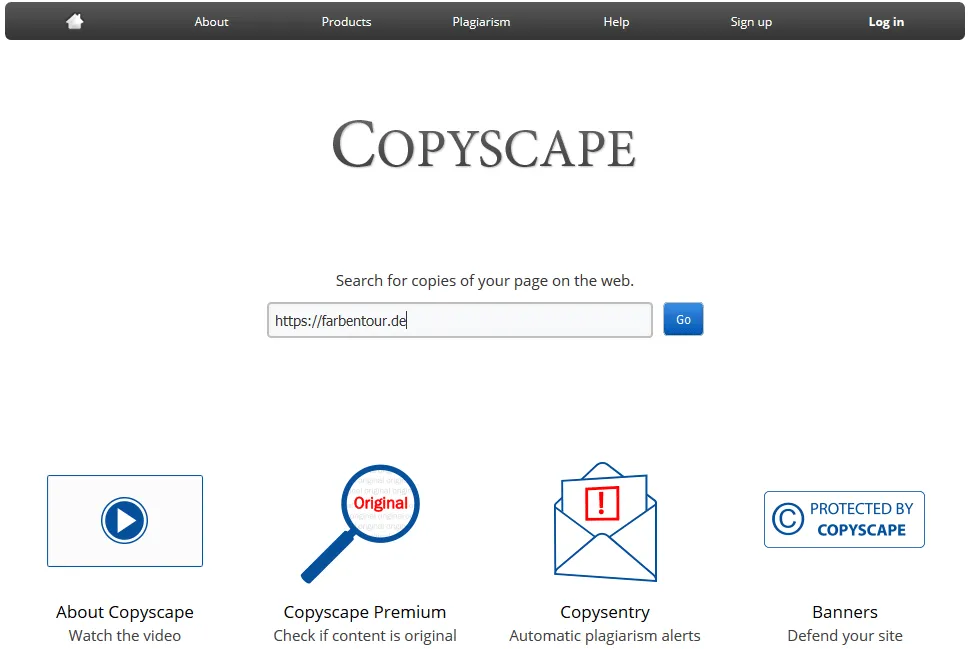
Has the content of your website been published (without permission) on other pages? In addition to duplicate content on your own website, duplicate content on other websites is at least just as dangerous for your rankings. With Copyscape you can track down content thieves.
http://copyscape.com/
Duden.de
The spelling should be correct in the texts on your website. Nobody likes texts with too many spelling mistakes, whether human or machine. Pages with too many spelling mistakes testify to poor quality. That's where the tool from Duden.de comes in just right and analyzes your text for errors free of charge.
https://www.duden.de/rechtschreibpruefung-online
Analysis of the information architecture and internal links
Dynomapper
Are you currently freshly optimizing a new customer project? The page is gigantically large and you quickly lose the overview? Then visualizing the information architecture can help to regain the overview. With Dynomapper you can have the architecture of any website and the information flow displayed. Have all the important URLs (e.g. categories in shops) been placed and linked correctly? With Dynomapper you find out. With the free trial version you can test the tool for 14 days.
WriteMaps
With WriteMaps you can visualize three sitemaps free of charge with the intuitive planning tool. Perfect for planning new websites or to get an overview of existing pages. Unfortunately, you cannot visualize an existing sitemap as with Dynomapper, but have to recreate it by hand in the planning tool. Once the sitemap is finished, you can export it as a PDF or directly as an XML sitemap.
https://writemaps.com/
Xmind
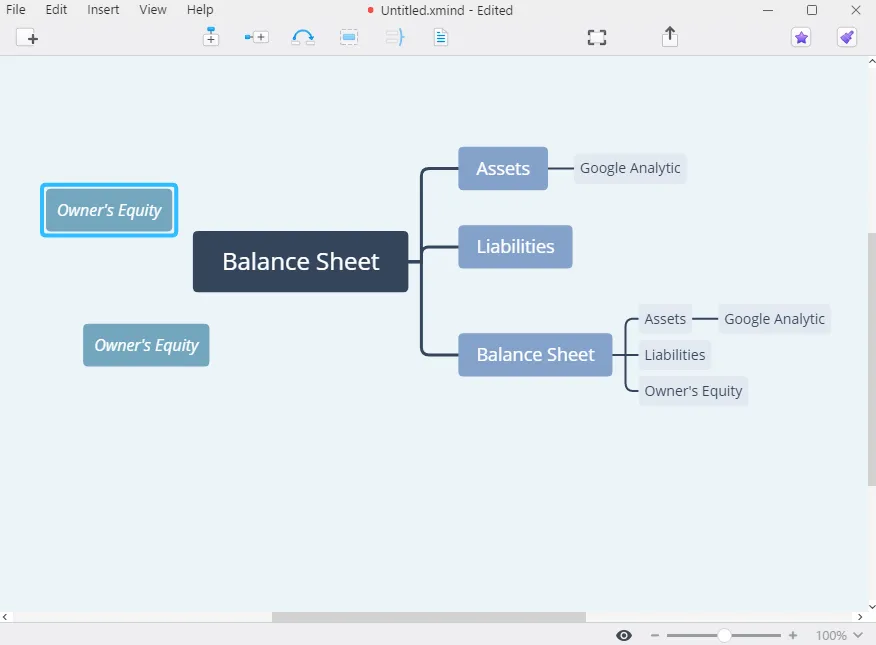
Xmind is a small piece of software that you have to install on your computer. I use the tool regularly when planning new information architectures or directly for planning completely new websites. Simple, yet free and easy to use. The familiarization time here is less than five minutes.
Gephi
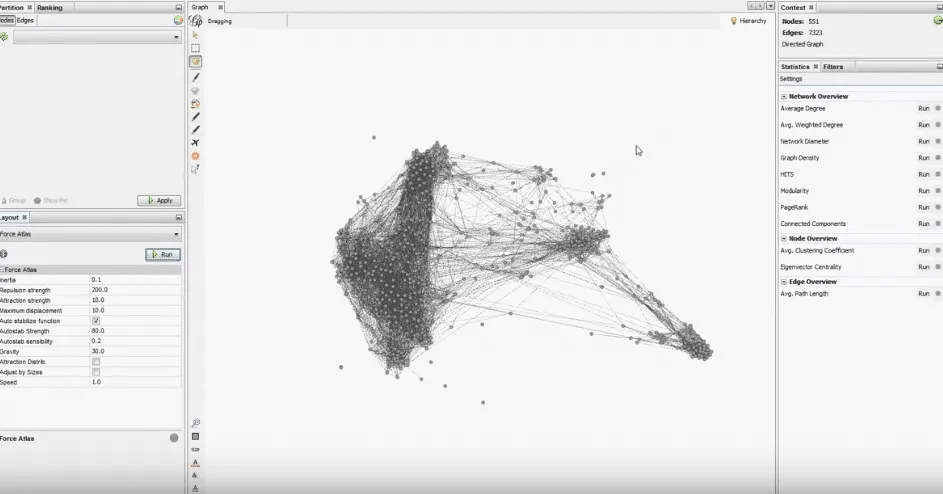
With Gephi it's a lot about edges and nodes. If you now only understand “train station” (i.e. nothing at all), you don't need to worry. It was the same for me at the beginning. With a little familiarization time, you can visualize the internal links of a website with Gephi. This has mightily impressed every customer so far. Simply download all HTML pages of the target website with Screaming Frog and use Gephi to display the visualization of the links. You'll find a detailed article about this here on searchengineland.com. With the display via Gephi you find out whether all important pages also get enough link power internally or whether there are orphaned pages. Here you can optimize the internal linking. Gephi is free of charge.
Keyword tools and trend analyses
Google Keyword Planner
A detailed keyword research and the identification of new trends can help your website with optimization. The Google Keyword Planner is the best-known keyword tool on the market. With it you can have the search volume for your topics displayed – unfortunately, the exact search results are only shown to you if you have an active Google Ads campaign running.
https://business.google.com/de/ad-tools/keyword-planner/
AlsoAsked
If you really want to understand the intent behind a search query (search intent), AlsoAsked is a must-have tool. It scrapes the “related questions” boxes (People Also Ask) directly from the Google search results and prepares them visually as an interactive mind map. This way you immediately see which follow-up questions users have about a topic – perfect for building content structures and holistically optimizing informational texts.
KWFINDER

For everyone who does not have an active Adwords campaign, I can recommend the kwfinder as an alternative. Two queries per day are free, which is unfortunately little. I recommend everyone who wants to conduct detailed keyword research to buy the paid version.
Karma Keyword Tool
Moritz Bauer from derdigitalunternehmer.de has crafted a great tool with which you can query the search volume for individual keywords free of charge. He pulls the data via the API from the SEO tool ahefs.com. In addition to the monthly search volume, his tool also shows the CPC price, the competition strength, and the search results for the search term.
http://derdigitaleunternehmer.de/karma-keyword-tool
Answerthepublic
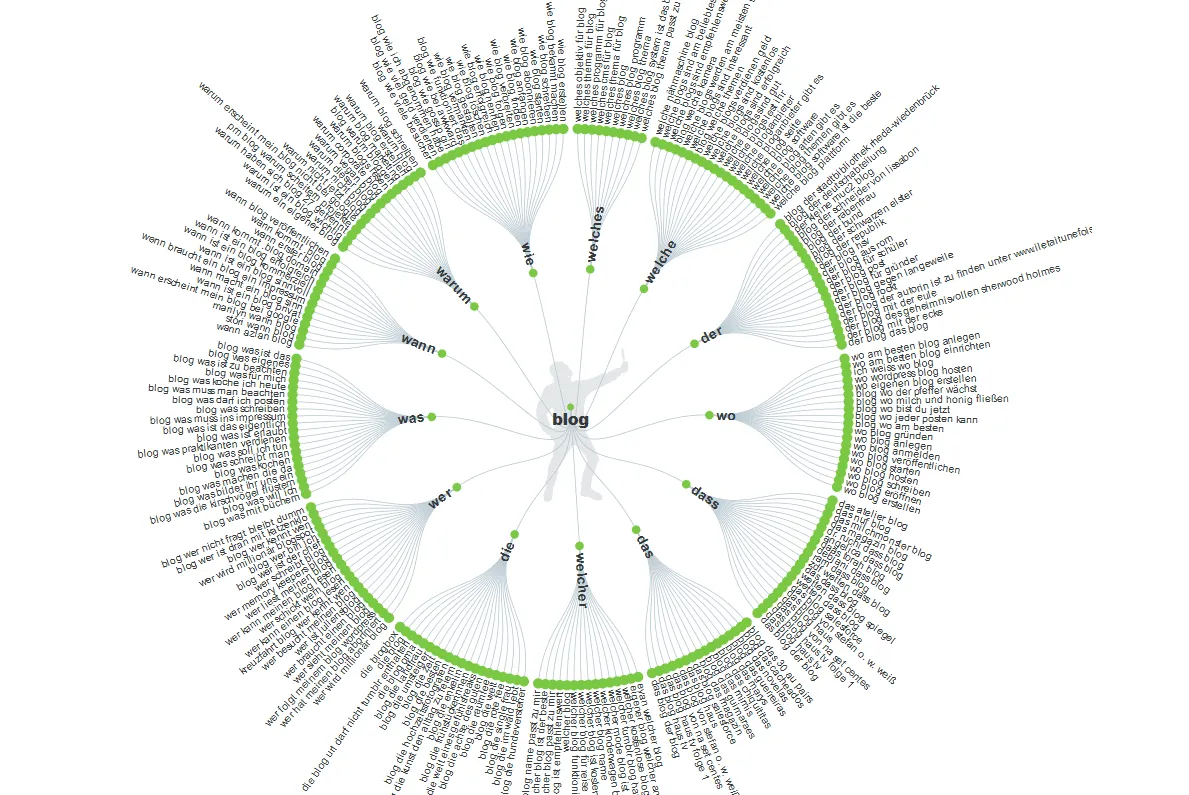
answerthepublic.com provides countless thematic suggestions for which you can create new pages or which you can check to expand your existing content toward them. With every topic research, answerthepublic is a must!
Trends on Google
Which trends are currently popular? Look at the current trending topics on Google. Here you can filter by countries, categories, and by further settings.
https://trends.google.de/trends/
Bestsellers on Amazon
Which products are the bestsellers on Amazon? Which items are bought particularly gladly? Maybe you can write about such a product on your blog or create a niche site. You'll find a huge list of the current bestsellers on Amazon.de at the following link.
https://www.amazon.de/gp/bestsellers
More keyword research
You'll find more aids for keyword research and how to carry out an analysis completely free of charge here on the blog in the article about keyword research.
Monitoring rankings
Ranking Spy
Instead of searching for your placements manually at Google for ages, you can query your rankings quickly on Ranking-Spy.com. Simple to use and free.
http://ranking-spy.com/ranking/
Whatsmyserp?
Exactly the same as Ranking Spy – only with several selection options. You can query several terms at once and sort by various Google country domains. In terms of looks, Whatsmyserp has aged, but in terms of functions the tool still works smoothly.
http://www.whatsmyserp.com/serpcheck.php
Keywordmonitor
The Keywordmonitor offers you the option of testing it free of charge for 14 days. As the name already says, here you can continuously check the rankings of your website. The tool updates the check of the rankings once a day and creates a visibility history of the rankings. This way you can trace how the rankings develop. A clear recommendation.
https://www.keywordmonitor.de/
Antranks
With the 14-day free trial version of Antranks you can, as with the Keywordmonitor, query the rankings of your website. Up to 100 checks per day are included in this version. The tool examines the rankings at Google, Bing, and Yahoo of the desktop version. In the paid Advanced version, up to 2,000 keywords can be queried and desktop, mobile, and even tablet search indices are taken into account.
https://www.antranks.com/ (14-day trial version)
ISearch
Similar to Searchlatte, ISearch also offers you the option of changing the Google search by location and language. In addition, you have the option of specifying a city in the search, which can be especially helpful for LOCAL SEO.
Analyzing visibility and traffic
SISTRIX Visibility Index
The visibility index is a metric about the organic rankings in the search engines. The higher the value, the higher the rankings in the respective search engine. Sistrix and Searchmetrics in particular are known for their visibility index. Via the visibility history, positive and negative trends in relation to the course of the rankings can be recognized. This way, penalties at Google can be quickly recognized in retrospect. The free version of the SISTRIX Visibility Index shows the KPI without visibility history. You can test the complete Sistrix tool with the visibility graph free of charge for 14 days: https://www.sistrix.de/.
https://www.sistrix.de/visibility-index/
XOVI
For the German-speaking market, XOVI has for years been an established and popular presence among the all-in-one suites . With its in-house OVI (Online Value Index), the tool delivers a reliable metric for measuring domain visibility. XOVI scores above all through a fair price-performance ratio and, thanks to its understandable dashboards, is excellently suited for SMEs and agencies that want to centrally manage rankings, backlinks, and OnPage errors.
Ahrefs
Although originally known as a pure backlink tool, Ahrefs has developed into a good tool for organic traffic analysis. With the Site Explorer, you can decode the estimated organic traffic of almost any website worldwide in real time. The tool not only shows you how much traffic a domain generates, but breaks it down exactly: you see which specific keywords the visitors come through, which subpages are the absolute traffic magnets of the competition, and how the click streams change over time. Perfect for identifying traffic potentials in the market and analyzing the competitors' content strategy.
Semrush
In addition to the established German classics, Semrush is one of the most frequently used all-in-one SEO suites in the world. The tool offers an extremely powerful overall package: from in-depth competitor analyses to international keyword research to backlink audits and OnPage crawlers. Anyone who wants to take an all-encompassing look at their visibility and that of their competitors can hardly get past Semrush.
Metrics.tools
Metrics, just like Sistrix and Xovi, offers you the option of analyzing the rankings of your website and those of your competition and, using a visibility index, tracing the course of the rankings. You can use Metrics in the trial version free of charge for 14 days.
Sistrix Google Update Analysis
On Sistrix.de you can analyze whether a domain has lost or gained visibility with the multitude of published Google updates. This way, with a bit of luck, existing penalties that have negative effects on the rankings can be recognized during an initial analysis.
https://www.sistrix.de/google-updates/
Panguin Tool
With the Panguin Tool, a domain can likewise be analyzed for a Google penalty and the course of the rankings displayed in a visibility curve. If there are strong losses in the graph, a penalty could have occurred. The Panguin SEO tool is free of charge and is provided by the agency barracuda.digital. To use the tool, you first have to log in with a Google account.
https://barracuda.digital/panguin-seo-tool/
AI & GEO Tools (Generative Engine Optimization)
The search landscape is changing rapidly: AI answers directly in the search results (Google AI Overviews) and standalone AI search engines such as ChatGPT or Perplexity are gaining massively in importance. To remain visible in this new era, the topic of GEO (Generative Engine Optimization) is becoming established.
The following tools help you with tracking:
Otterly AI
Otterly is one of the pioneers in the area of LLMO (Large Language Model Optimization) and GEO. The tool scans and measures brand presence (brand mentions) in the most popular AI models such as ChatGPT, Microsoft Copilot, and Google Gemini. It helps you understand how AI systems talk about your company and how you have to optimize your content in order to be spit out as a recommendation.
Peec AI
Another specialized GEO tool is Peec AI. It focuses on monitoring brand visibility in contextual AI search engines such as Perplexity AI and ChatGPT. Peec AI breaks down for which informational search queries your competition is preferred by the AI and provides data-based approaches for sustainably increasing your own AI visibility.
Backlink checker
Openlinkprofiler.org
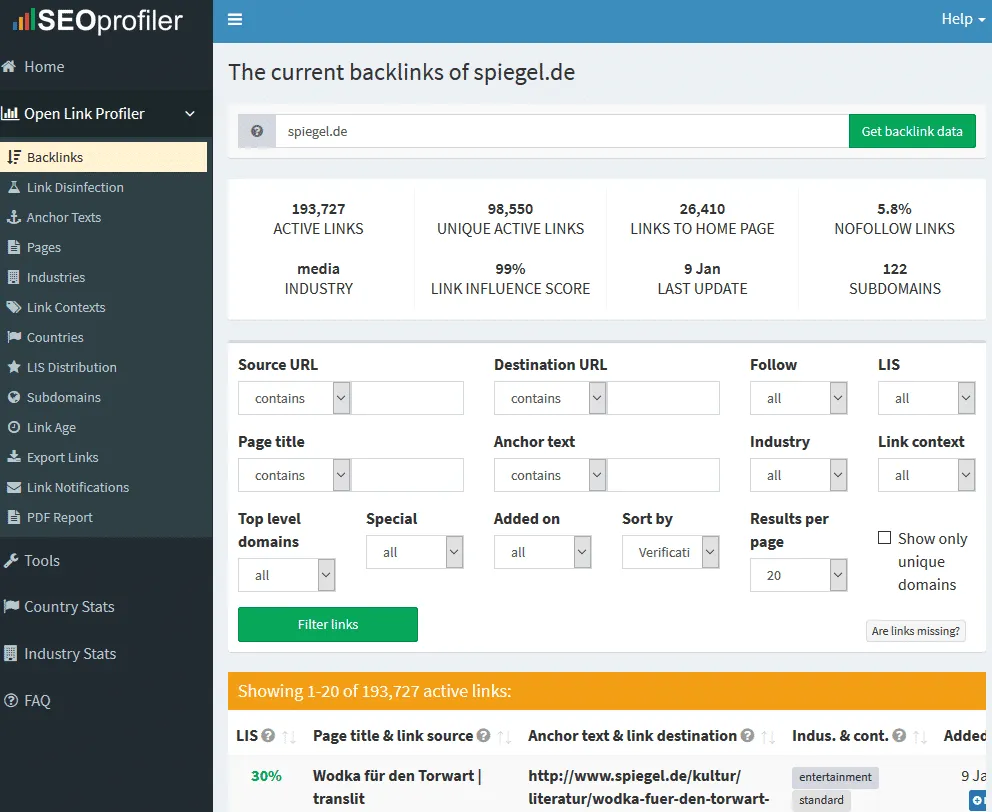
On Openlinkprofiler.org you can analyze the backlink profile of a website – and completely free of charge. This tool is especially suitable for an initial research of the backlinks of the competition, but also for an analysis of your own backlinks. In doing so, detailed information such as the number of NoFollow links, anchor texts, and much more can be called up.
SEOkicks
According to the website, the current index of the link analysis tool SEOkicks.de comprises a full 200 billion link records. An impressive number. With SEOkicks you can analyze your website for the number of links and link sources free of charge. The competitor websites can likewise be analyzed with it and thus valuable link sources for your website can be found.
Majestic.com

On Majestic.com you can analyze websites for their link profile and thus recognize strong and harmful links. When researching new backlinks, a worthwhile tool. This way, some interesting metrics can be quickly evaluated with this tool and checked whether it can be worthwhile to obtain a backlink from the website or rather not.
My recommendation: the two Majestic metrics “Trust Flow” and “Citation Flow” should always be observed during an analysis. If the Citation Flow is significantly higher than the Trust Flow, that can be a sign that the website has some bad (“spam”) backlinks in its link profile.
With a free account, only a very limited number of websites per day can be examined free of charge.
Ahrefs
Ahrefs is the only tool in this list that is not available at least in a free trial version. Why did we still include Ahrefs here? Ahrefs is one of the best analysis options for backlinks. With a large database, Ahrefs enables the analysis of millions of websites and helps to recognize good backlinks and to keep your own link profile clean and to analyze that of the competition.
Ahrefs has also developed strongly and additionally offers keyword research, content optimization, rank tracker, and much more. It is possible to purchase a paid seven-day trial version for 7 USD.
https://ahrefs.com/de/backlink-checker (free backlink check)
Linkalyse
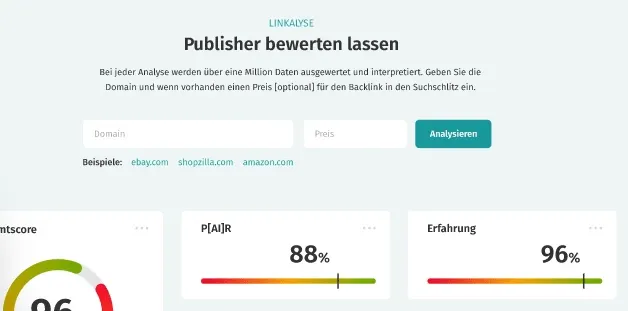
Do you want to buy backlinks? Then please read the linked article first ;-). For all link buyers, the tool Linkalyse offers the option of determining the value of a backlink. In doing so, qualitative and quantitative metrics from various tools are taken into account in order to determine a realistic and data-driven price recommendation for a link source.
Cognitiveseo.com
“Backlink Analysis Tool that Delivers” – With this slogan, the strong link analysis tool is advertised on the website Cognitiveseo.com. With the software you can analyze existing link profiles, recognize penalties from spam backlinks, and much more. The tool can be tested free of charge for 14 days.
https://cognitiveseo.com/
Monitorbacklinks
Monitor the link profile of your website in order to detect and devalue new harmful links as quickly as possible. With the Monitorbacklinks tool, this is possible. On request, you are informed by email if a conspicuously large number of bad backlinks are placed on your domain in a short time. This tool can be helpful for being able to react quickly to negative SEO attacks. You can sign up for a free trial version via the website.
https://monitorbacklinks.com/
Creating a disavow file
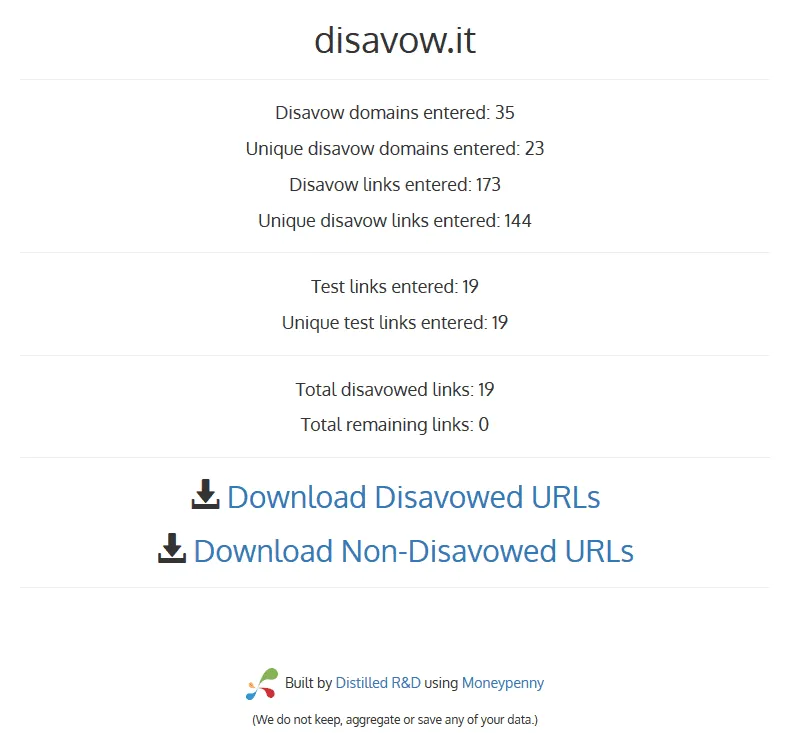
Disavow.it helps you to quickly create a disavow file that you can submit directly to the Google Search Console without editing. You can upload an existing disavow file and have it analyzed for how many URLs will be devalued.
http://disavow.it/ (Alternative: http://www.visiospark.com/url-to-domain/)
Browser plugins
Keyword Surfer (Chrome Extension)
The Keyword Surfer is the ideal, free alternative to well-known plugins. As soon as you have activated the add-on, it shows you the estimated monthly search volume for your keyword directly in the search fields of every Google search, as well as suitable keyword ideas at the edge of the page. You can't collect keyword data more quickly and easily during everyday googling.
https://surferseo.com/keyword-surfer/
SEOQuake Toolbar
Plugins or extensions for your browser can deliver metrics and analyses directly to you on the fly during your daily SEO work. One of the best-known browser extensions in the SEO field is the SEOQuake Toolbar. The tool delivers countless data directly in your browser for every URL you call up, such as the number of indexed pages, the number of linked pages, social media data, and much more. If, after installation, you call up the Google SERPs, every search result in the SERPs is extended with the information by the toolbar. Very useful during daily SEO work.
https://www.seoquake.com/
Google Similar Pages
With this Chrome plugin you can find duplicate content. To do so, go to the URL that you want to examine for duplicate content on the web and click the button of the plugin (should be found near the address bar). By clicking, a search query at Google opens automatically to find web pages with similar or identical content. A handy tool for carrying out an initial rough quick check for duplicate content.
Lighthouse
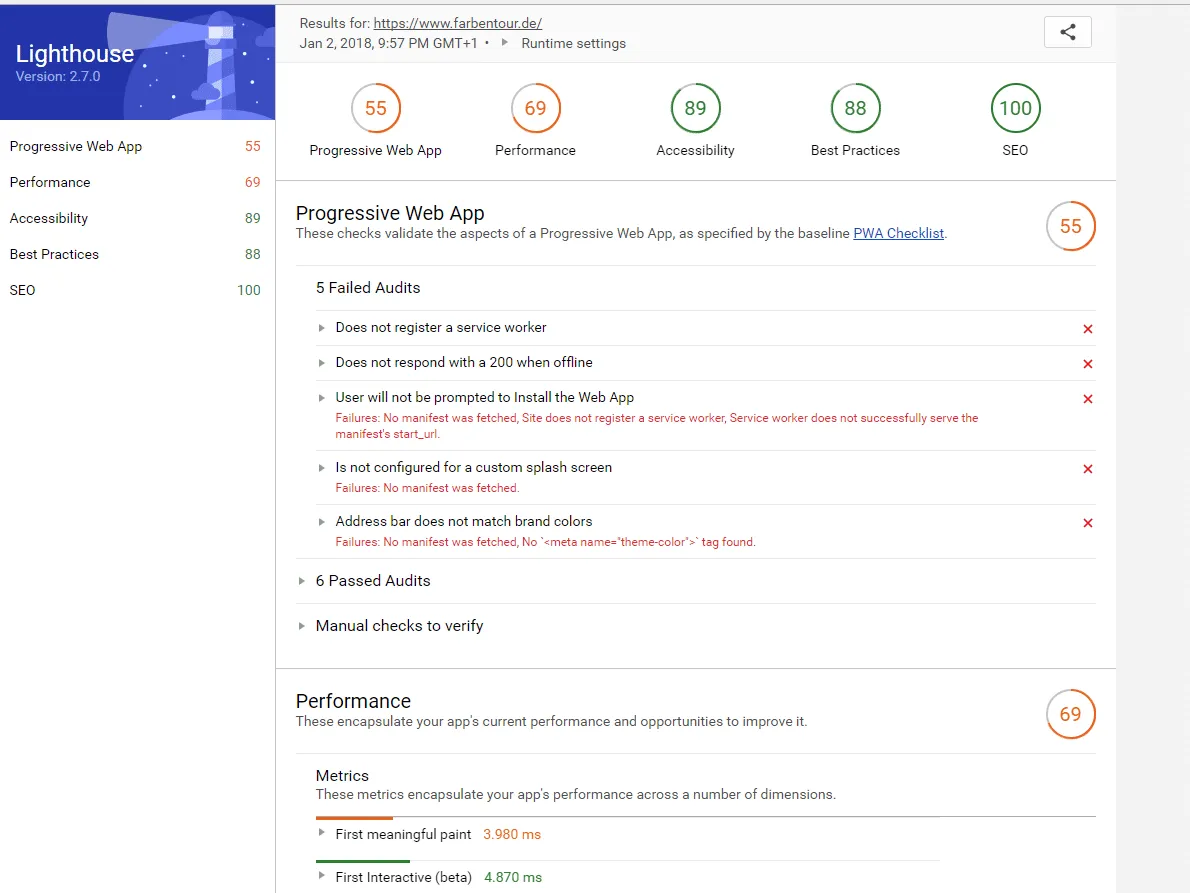
The Lighthouse extension examines individual web page URLs on a very technical level and shows optimization potentials. The analysis is divided into five large main categories: “Progressive Web App,” “Performance,” “Accessibility,” “Best Practices,” and “SEO.” After the analysis you receive a report with all the tests carried out and results. A great extension with many analysis functions on the technical level.
https://chrome.google.com/webstore/detail/lighthouse/blipmdconlkpinefehnmjammfjpmpbjk
SEO Dashboard
The SEO Dashboard is a collection of quick links to various tool providers such as the Search Console, Sistrix, Google testing tools, and Google site queries. This way you can, for example, via a quick link, directly have the performance of this URL displayed in the Search Console (e.g. crawling errors), analyze for duplicate content, or have the loading times measured. A nice link collection of important analysis options that saves time during daily work.
Link Redirect Trace
The extension from LinkResearchTools GmbH shows you useful information about individual URLs. This way the PageRank substitute KPI (LRT Power *LRT Trust), number of backlinks, loading times, redirect chains, and the status code of the analyzed URL are displayed. A great plugin that I use daily for Firefox.
https://addons.mozilla.org/en-US/firefox/addon/link-redirect-trace-addon/
User-Agent Switcher for Chrome
A useful plugin if you want to see how the various search engine bots and browsers see your website. Through this plugin you have the option of choosing from a variety of USER agents and checking your page for possible errors. A small but recommendable tool.
Foxy SEO Tool
Similar to the SEO Dashboard, the Foxy SEO Tool for the Firefox browser is a link collection of various tools that you can use for optimizing your websites. Contained in the collection are links to the W3C checker, Alexa query, Copyscape, and many more.
https://addons.mozilla.org/de/firefox/addon/foxy-seo-tool/
Fat Rank
With Fat Rank you can do exactly what other tool providers charge you for: query the rankings of your website. If Fat Rank is installed, you can query the rankings for a keyword of your choice via a small window in your browser and set the search engine that is to be queried. A great plugin that is also completely free.
Check my Links
With Check my Links you can check the status code of the linked URLs. Useful if you want to examine individual pages for broken links.
https://chrome.google.com/webstore/detail/check-my-links/ojkcdipcgfaekbeaelaapakgnjflfglf
One Click Extensions Manager
Not an SEO plugin, but if you have now installed all the browser extensions in this list, it can be that you quickly lose the overview with the many small icons. So that you regain the overview, you can tidy up with the One Click Extensions Manager. With this extension you find all browser plugins lined up in a clear list and callable with just one click.
https://chrome.google.com/webstore/detail/one-click-extensions-mana/pbgjpgbpljobkekbhnnmlikbbfhbhmem
Our recommendations
With free SEO tools you can already achieve a lot for getting started. In the longer term, with professional optimization, you can't avoid spending money on truly useful tools that make your daily work easier. At the end of this list I'll introduce to you my favorites that I use daily and can recommend to everyone.
1.) SISTRIX Toolbox SEO Module
Sistrix is one of the best-known tools when it comes to visibility index and analysis. With the tool you can analyze past values of the rankings of websites and check for which keywords a page is found and whether there was a penalty from a Google penalty in the past. You also see for which keywords you are rising and whether there were losses in the rankings.
I have been using the SEO module from Sistrix for ages, and the feeling when your optimizations take hold and the graph of the visibility rises upward is really an indescribably beautiful feeling… I just notice that Sistrix is probably the most emotional SEO tool that I use. J
2.) Seobility and Screaming Frog
Seobility and Screaming Frog have already been introduced in the list and I would not want to work without these two tools anymore. Incredibly good helpers that make the work easier and make OnPage errors quickly recognizable – at a fair price-performance ratio.
3.) KWFINDER
My standard tool for simple keyword research. The tool is inexpensive and offers everything a keyword research tool should comprise. Short loading times, countless suggestions (related keywords) for further keywords, and quick creation of your own keyword lists during research make working with the KWFINDER very pleasant.
4.) SERPWATCHER
From the same provider as the KWFINDER is the SERPWATCHER. A fair price-performance ratio. With the Serpwatcher you can enter domains and the associated keywords that are checked once daily. The tool saves the positions of the keywords, with which you can recognize improvements and deteriorations of the rankings.
5.) TermLabs.io
Termlabs is currently THE tool for analyzing your content – according to the WDF*IDF or TF*IDF approach. Termlabs is truly an enrichment and is equipped with many other useful tools, such as the Questionsfinder. I would not want to do without this tool anymore either.
6.) MAJESTIC, AHREFS, and LINKRESEARCHTOOLS
Majestic.com provides you with countless information about your link profile: nicely clean and structured, listed out. In addition, the tool is absolutely fine in terms of price. Unfortunately there is a catch: so many new links and websites arise on the net that a single tool alone cannot directly find all links. The problem: in some cases, Majestic does not always find all the links that link to your page. If those happen to be exactly the harmful links that actually should be devalued, a single backlink tool may leave you out in the rain. That's why, in link profile analysis, I always rely on at least one further analysis tool. In most cases AHREFS.com with an incredibly large link database.
Alternatively, I can recommend one of the most comprehensive tools for analysis on the market: Linkresearchtools.com. Unfortunately, the price for Linkresearchtools is very high.
https://de.majestic.com/ and https://ahrefs.com/
7.) Scrapebox
Indispensable for finding new link sources: the Scrapebox. This software, which you have to install on your PC, helps you to search Google for information, filter it, and save it. This way you can quickly carry out research with the Scrapebox that would otherwise take you ages, and then process it. Very helpful SEO software for daily link building.
Summary: frequently asked questions about SEO tools
The most frequent questions and answers about SEO tools here in the summary:
Do I need an SEO tool?
It is theoretically possible to optimize a website for the search engines without any SEO tools at all. With tools such as Screaming Frog, however, many analyses can be carried out automatically and thus significantly faster. SEO tools also help to discover as many optimization potentials as possible on a website. With tools such as Google Analytics, important analyses and success monitoring can be set up in order to be able to measure the success of the SEO measures. Some SEO tools are enormously important for optimization, so you should at least use the free tools, such as the Google Search Console and the free version of Screaming Frog.
Which SEO tool is the best?
There is no single best SEO tool. Every tool has its strengths and weaknesses. Anyone who is looking for an SEO tool should first consider which functions are important to them and then test as many tools as possible.
How many SEO tools do I need?
Here your own need is decisive: for smaller optimizations, two to three free tools are enough, while large projects usually have several paid tools in use. In any case, one tool for OnPage and OffPage analysis and optimization should be used, and another for analyzing the traffic and the rankings, such as the Search Console.
Why are paid SEO tools sometimes so expensive?
The tool providers sometimes have high costs, because an OffPage analysis tool has to have its own crawlers and regularly search the entire web, which is a big cost factor. Complex pages with very many URLs can likewise drive up the server costs of SaaS providers.
SEO & GEO check
Want more visibility – in search engines and AI answers?
We analyse your potential and show concrete next steps. Free and non-binding.