
SEO Basics & Strategy
SEO Relaunch: How to Relaunch Your Website Without Losing Visibility

A relaunch can only be successful if search engine optimization is factored in from the very start. Numerous mistakes can be made that can lead to losses in visibility and rankings. And that can have negative consequences when you run your business on the World Wide Web.
This guide reveals which points matter so that your SEO relaunch is a success. Checklists included!
A relaunch is a complex process and requires professional planning of all relevant SEO aspects.
Because: every relaunch carries a real risk to the website's visibility in the search results, and therefore also to traffic and conversions. A failed SEO relaunch can thus have serious financial consequences.
Definition of SEO Relaunch
An SEO relaunch refers to the fundamental overhaul of an existing website, in which not only design and functionality are improved, but targeted search engine optimization (SEO) measures are also integrated.
The goal is to increase visibility in search engines, fix technical and content-related weaknesses, and optimize the website sustainably for both users and search engines.
What is a website relaunch?
A relaunch refers to the reintroduction or restart of something. This is not limited to websites. For example, (physical and digital) products can also undergo a relaunch.
In principle, a relaunch means reissuing something that already exists, whereas a launch introduces something new to the market. A website relaunch is not limited to visual aspects, but can be used, for example,
- for a content realignment,
- to improve navigation and usability,
- to introduce new features,
- to switch the content management system (CMS),
- to upgrade the technology,
- to speed up loading times,
and much more. All of this has a direct or indirect connection to search engine optimization.
Reasons for a relaunch
The term relaunch is broadly defined. Even if we look only at the website, many different reasons for a renewal come to light.

Reasons on a strategic level:
- Change in the target audience
- Revision of the product range/service portfolio
- Brand renaming or brand strengthening
- Introduction of one or more new points of sale
- Revision of the corporate design
Website- or SEO-related reasons for a relaunch:
- outdated content
- outdated design
- obsolete technology
- lack of traffic
- poor conversion rate
- inadequate page experience (no responsive behavior, etc.)
- insufficient security (e.g. HTTP instead of HTTPS)
- introduction of new features (e.g. multilingualism)
- switching the content management system (CMS)
- changing the domain, URL structure, or navigation
When the relaunch is initiated by the website operator, it is often justified by the website's dated appearance or by strategic considerations. SEOs recommend a relaunch when the existing infrastructure is so outdated that the website can no longer be optimized for search engines at all, or only with a great deal of effort. A key factor here is, not least, algorithm updates, which continuously raise the requirements for search-engine-friendly websites.
Ultimately, as with all search engine optimization measures, the relaunch should always keep the user at the center. If a relaunch makes a website both more user-friendly and adds additional value, it is warranted in any case. If, for example, performance suffers greatly due to algorithm changes, an SEO relaunch may even be unavoidable.
Types of relaunches
Derived from the reasons, various types of relaunches emerge:
- Brand relaunch
- Design relaunch (redesign)
- Domain relaunch
- URL relaunch
- CMS/shop-system relaunch
- SEO relaunch
As a rule, it makes sense to use a costly relaunch to optimize various aspects at the same time. That is why it is usually several reasons that lead to a website being renewed to the point where you can speak of a relaunch.
Bad reasons for a relaunch
Alongside many good reasons, there are certainly unsuitable reasons for a relaunch. A relaunch should always help achieve the company's goals. That is not the case if the planned changes contradict the corporate identity or the brand core.
Routine relaunches carried out only because the website is already two years old again are also pointless. Instead of pure vanity, it should always be verifiable data, facts, and figures that lead to the decision for an SEO relaunch. Introducing innovations can also be dangerous if it causes established standards to be ignored and users can no longer find their way around or feel comfortable on the new website.
The website is and remains a communication tool that should retain a certain recognition value even after the relaunch.
Opportunities and risks of a website relaunch
We have given you many good reasons for a relaunch. Usually it is not just a single reason but an accumulation of improvement potential that is decisive for the decision to carry out a relaunch.
At the same time, every lever you adjust increases the risk that something will go wrong. One of the classic and at the same time most feared consequences is the loss of visibility in the search results of Google and co. Because less visibility leads to less traffic, fewer conversions, and ultimately less revenue.
Note: Temporary ranking drops are not necessarily a cause for concern
The more extensive the changes in the relaunch, the more likely it is that you will initially have to expect a small drop in rankings and visibility – even if you have done everything right in principle. Google needs several weeks to months to process far-reaching changes. This applies especially when the domains or the URLs have changed.
The larger a website, the longer the search engines need. In this case, Google itself indicates up to three months. But don't worry: if, on balance, your relaunch has made your website better, Google will reward you for this bold step with a better ranking than before!
Both successes and failures are all the harder to attribute to a single measure from an SEO perspective the more is changed and renewed on a website as part of the relaunch. With a positive development this is certainly easier to cope with than with negative consequences.
Opportunities of a relaunch
- Increase in attractiveness
- Strengthening the brand
- Improvement of usability and page experience
- better satisfaction of needs
- Increase in visibility
- Increase in conversions
- Increase in revenue
- Improvement of interaction
Risks of a relaunch
- Rise in error messages (e.g. status code 404)
- Decrease in visibility
- Devaluation of content
- Loss of backlinks
- Drop in traffic
- Decline in conversions
- Decline in revenue
- Loss of regular visitors
Why is a relaunch worthwhile?
Nothing is more fast-paced than change. What seemed up to date yesterday is long outdated today. Nowhere is this more true than on the internet. Technological progress means that customer expectations are constantly changing. Whereas people used to be glad that anything was delivered to their home at all, today the customer is dissatisfied if the parcel doesn't arrive the next day.

Google accounts for the changing needs of website users with regular algorithm updates. The overriding goal: to rank the websites that offer the best page experience as far up as possible. In addition to first-class content, this requires maximum user-friendliness.
Just ten years ago we used the internet primarily from the desktop computer. Thanks to the rapid spread of the smartphone, many private households today no longer own a computer at all. Websites had to adapt – not least due to pressure from Google – to the new needs of mobile users. Google first introduced the Mobile First Index and later the Mobile Only Index. Websites that are not optimized for mobile devices have hardly any chance of ranking well.
So if you want your website to continue to get attention and earn money, then you have to optimize it regularly and, every now and then, renew it on a large scale to make it fit for the future.
Continuous Relaunch
In view of the rapid developments on the World Wide Web, the big relaunch is increasingly being called into question. Google now runs algorithm updates almost monthly. Website operators often feel the effects directly. Instead of carrying out an all-round overhaul “every few years” – with the corresponding risks – the focus should shift to continuous optimization.
A continuous relaunch is characterized by its agility. It is not the innovation gaps but the innovation leaps that keep getting bigger! Why leave potential untapped until the next relaunch when returns can be increased immediately as a result? As a side effect, users are not confronted with major breaks but are tied to your brand through iterative improvements.
The regular relaunch will not replace every big relaunch either, but many of them. When introducing a new brand or a new design, the classic relaunch remains. Overall, however, a continuous relaunch can reduce innovation backlog and innovation pressure. Ultimately everyone benefits from this: you, your users, and the search engines.
The various phases of a website relaunch
A classic relaunch is a project. Projects are characterized by the fact that they can be divided into different project phases and are completed at some point. Dividing it into phases helps you structure and organize the sometimes very detailed relaunch process better.
Every relaunch is different and brings different challenges. There is no one-size-fits-all approach, no blueprint. Systematically working through the various phases and completing the individual steps ensures that no work step is forgotten. Often it is the small and inconspicuous points that are later responsible for the loss of visibility. Because they were skipped or forgotten.
To avoid this, each of the phases presented below ends with a detailed checklist that you should work through point by point. Not every point it contains will be relevant to your individual relaunch. But in their entirety, the checklists ensure that you will complete your relaunch project successfully.
1. Planning and preparation
The reason why many relaunches go wrong is a lack of planning and preparation. Often a relaunch is pulled off in a rush. Not infrequently because the entire process has been dragging on forever and the new website is finally supposed to go online by a certain deadline (e.g. company anniversary).

A relaunch is nothing that should run on the side. And certainly nothing you should hand over responsibility for to the working student. After all, there is always a reason and a goal for initiating a relaunch. This goal should be communicated transparently to everyone involved and always kept in mind during the planning.
Top rule: No relaunch without a test system!
No matter what is to be changed on the website, it is never done on the live system! First you set up a completely independent test system that is accessible, for example, via a subdomain. Here everyone involved can “let off steam” without mistakes having serious consequences for the performance of your current website.
With a backup of the current website you can quickly create a clone. Protect the test system from unauthorized access with a password and make sure it is excluded from indexing (e.g. via the robots file). Otherwise you risk it appearing in the search results and, for example, unintentionally producing duplicate content.
Tool tip
If you use WordPress for your old and new website, the Updraft Plus plugin helps you with the straightforward and quick duplication of your existing website.

Now you have the chance to question everything that was practiced on the old website. Design, structure, keywords, and much more. You should seize this opportunity! It is true that every change you make increases the risk of ranking losses. On the other hand, there is no better time than now to make significant changes and implement measures.
2. Mapping all URLs
Regardless of whether you want to overhaul the URL structure or not, you should crawl and map all URLs of the current website version. Tools such as Screaming Frog (up to 500 URLs free of charge) are suitable for this. Import the list of crawled URLs into a spreadsheet program of your choice. Supplementary information such as the status code already gives you initial clues about what you should definitely still take into account during the relaunch.
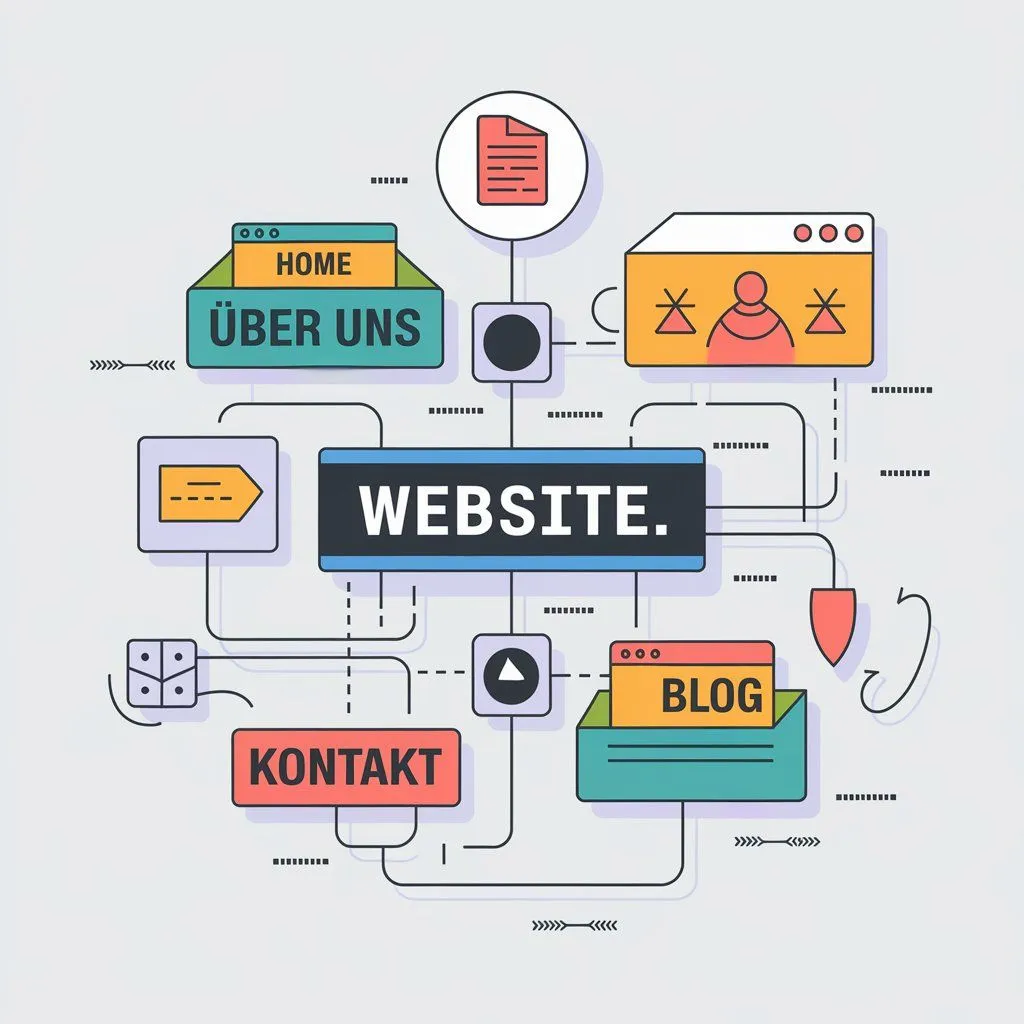
By mapping the URLs you get a compact overview of your current structure and can decide at your leisure whether it can be kept or whether you use the opportunity for adjustments.
At the same time, the URL overview is a good opportunity to carry out a content audit. Go through the analysis page by page and ask yourself:
- whether the existing content is still up to date and contributes to success.
- whether you are focusing on the right keyword. Whether it is even still needed at all.
- whether you need to update it or can merge it with other pages.
In doing so, also check the meta data of the individual pages that is displayed in the search results. With Screaming Frog you can export this alongside the URLs as well.
Once you and your team have implemented design, content, and co. to this extent, you should check whether any existing canonical and hreflang tags are still up to date and need to be adjusted or supplemented. Instead of redirected URLs, the tags should be equipped with the current URLs.
Before you set a date for carrying out the relaunch, you should take enough time to check the new website in terms of user experience. It is best to involve outsiders whom you observe while they use the website. Give them tasks such as navigating to a specific destination or placing an order. This way you quickly identify where users have problems and where improvements still need to be made. When your grandma understands what your website is about and can operate it without any problems, the time is ripe to go live.
Beforehand, you should also create and back up an overview of all backlinks. It will help you later keep as many of them as possible. Any common SEO tool helps you with identifying backlinks.
Checklist for planning and preparing the relaunch
| Stage | Testumgebung aufsetzen | ⬜ |
|---|---|---|
| Testumgebung mit Passwort vor unbefugten Zugriffen schützen | ⬜ | |
| Indexierung der Testumgebung unterbinden | ⬜ | |
| Backup | Backup der Bestandsversion anfertigen | ⬜ |
| Backup in Testumgebung einspielen | ⬜ | |
| Informations-architektur | Mapping und Priorisierung der kompletten URL-Struktur (inkl. Statuscode, Meta-Daten, Keyword-Fokus) | ⬜ |
| Aufbau der neuen Informations-architektur (inkl. interner Verlinkung) | ⬜ | |
| Planung der Navigationsstruktur | ⬜ | |
| Welche URLs sollen indexiert werden und welche nicht? | ⬜ | |
| Content | Welche Inhalte werden behalten? | ⬜ |
| Welche Inhalte werden angepasst (aktualisiert, ergänzt)? | ⬜ | |
| Welche Inhalte werden zusammengeführt? | ⬜ | |
| Welche Inhalte werden eliminiert (Old Content, Thin Content etc.)? | ⬜ | |
| Besitzt jede Unterseite ein eigenes Hauptkeyword? | ⬜ | |
| Werden Inhalte manuell oder automatisiert migriert? | ⬜ | |
| Snippets | Meta-Title und Meta-Description nach Content-Optimierung überprüfen und ggf. anpassen bzw. optimieren | ⬜ |
| Canonical | Stimmen die Canonical-Tags bzw. wurden diese angepasst? | ⬜ |
| hreflang | Stimmen die hreflang-Tags bzw. wurden diese angepasst? | ⬜ |
| UX | Test der User Experience auf Desktop und Mobil | ⬜ |
| Quellcode | W3C Markup Validation testen | ⬜ |
| Backlinks | Mapping und Priorisierung sämtlicher Backlinks | ⬜ |
3. Implementation
For the switch from the old to the new website you should set a date in good time. Ideally, set aside a whole day so that you have enough of a buffer for any problems that may arise. The ideal time is one when there is typically as little traffic on your website as possible. Overall, however, minimal downtime can hardly be avoided.

At the same time, make sure the relaunch takes place during your host's support hours so that you have a contact person immediately in the event of technical problems and your website or online shop is not offline for the entire weekend in the worst case. This applies in particular when you use the relaunch to migrate to a new server.
Check whether your new or changed content has been correctly entered on the homepage and the subpages. New content should be internally linked with one another, which not least makes the crawler's job easier.
If pages have been dropped, you should definitely redirect them permanently (301). Only choose the homepage as the target page for the redirect if there is no thematically better-suited alternative. If, for example, a product in an online shop is discontinued, it makes more sense to redirect this page to the category page than to the homepage. That way potential customers immediately see alternative products that are relevant to them.
Use the URL overview you created in the planning phase to develop a redirect plan from it. This minimizes the risk of overlooking subpages that should actually have been redirected to another URL.
Redirects don't cost any PageRank
Contrary to earlier rumors, Google employees such as Gary Illyes and John Müller have now confirmed several times that URL redirects don't cost any PageRank (anymore). For a long time many SEOs assumed that a few percentage points would be lost with every redirect. That's not actually the case.
Nevertheless, redirect chains should be avoided, as they waste crawling budget unnecessarily. Once the crawler's budget for your website is used up, Google will not follow the chain any further and may not reach the target page. In addition, every redirect increases the loading time.
Before your test system finally becomes your new website, you should check whether all tracking codes have been implemented correctly. Only then can you check without gaps after the go-live whether you have taken into account and implemented all the important points.
Checklist for carrying out the relaunch
| Information (ggf.) | Kunden, Mitarbeiter und andere Stakeholder über anstehenden Relaunch und damit verbundene Ausfallzeiten informieren | ⬜ |
|---|---|---|
| Backup | Backup der Testumgebung anfertigen | ⬜ |
| Informations-architektur | Bei Domain-/URL-Änderungen: Interne Verlinkungen anpassen (inkl. Buttons, verlinkte Bilder etc.) | ⬜ |
| Bei Content-Erweiterung: neue interne Links setzen | ⬜ | |
| Bei Seitenwegfall: Weiterleitungsziele definieren, URLs umleiten, Verlinkungen entfernen | ⬜ | |
| Bei Domain-Änderung: CMS-bezogene Plugins, Widgets etc. umstellen | ⬜ | |
| Indexierung | Crawling der Testumgebung und Abgleich mit URL-Mapping | ⬜ |
| Wurden gewünschte Dateien und Verzeichnisse in der robots.txt ausgeschlossen? | ⬜ | |
| Wurden gewünschte Seiten über das Robots-Meta-Tag ausgeschlossen (noindex)? | ⬜ | |
| Wurde ein XML-Sitemap erstellt und in der Google Search Console hinterlegt? | ⬜ | |
| Redirects | Übersichtsplan für Weiterleitungen aus URL-Mapping erstellen | ⬜ |
| Weiterleitungen in .htaccess-Datei oder Plugin konfigurieren | ⬜ | |
| Tracking | Alle Tracking-Codes korrekt eingebunden? Google Tag Manager, Google Search Console, Google Analytics, Google AdSense, Facebook Pixel, LinkedIn Insight Tag, Affiliate, VG Wort, etc. | ⬜ |
| Gibt es neuere Versionen von Tracking-Codes, die im Zuge des Relaunches ausgetauscht werden sollten? | ⬜ |
4. Completion and review
Even if you have already checked most of it beforehand – as soon as your new website is accessible to everyone, you should immediately afterwards once again put all displays and functions through their paces! Nothing is worse than navigation that suddenly can't be used on the smartphone, or a form that doesn't transmit the inquiries of potential customers. Take your time!
A great help with the relaunch is the Google Search Console. In this control center for webmasters you can check whether your (most important) pages can be crawled by Google. In addition, you can speed up the crawling of pages that have changed significantly by requesting it. The Search Console shows you errors that you should get to the bottom of immediately.
Above all, if your domain has changed, you should try to redirect backlinks to the new URL. For this you depend on the cooperation of the link source. It is at least worthwhile to contact the providers of the most valuable links and kindly ask them to change the URL. It is much more laborious to build new backlinks than to reactivate old ones. Especially since it is in principle also in the interest of the link source that the links they have set work.
Checklist for completion and review
| Cache | Cache leeren | ⬜ |
|---|---|---|
| Redirects | Weiterleitungen auf Funktion prüfen (u. a. mit alter Sitemap) | ⬜ |
| Weiterleitungsschleifen identifizieren und eliminieren | ⬜ | |
| Darstellung | Überprüfung auf Darstellungsfehler auf verschiedenen Geräten und in unterschiedlichen Browsern • Desktop • Tablet • Smartphone • Chrome • Firefox • Safari • Edge • Opera | ⬜ |
| Navigation | Funktioniert die Navigation? | ⬜ |
| Logo | Wird das Logo auf jeder Seite angezeigt und ist es korrekt zur Startseite verlinkt? | ⬜ |
| Paginierung | Funktioniert das Blättern zwischen den Seiten? | ⬜ |
| Formulare | Funktionieren die Formulare (Kontakt, Newsletter, Lead Magnets etc.)? | ⬜ |
| Bestellungen | Funktionieren der Warenkorb und der Bestellprozess reibungslos? | ⬜ |
| Downloads | Kann etwaig bereitgestelltes Download-Material (Anleitungen, Formulare, Broschüren etc.) heruntergeladen werden? | ⬜ |
| Schnittstellen | Funktioniert der Datenaustausch zwischen etwaigen Schnittstellen (ActiveCampaign, Stripe, Zapier etc.)? | ⬜ |
| HTTPS | Funktioniert das SSL-Zertifikat? | ⬜ |
| Tracking | Funktionieren alle Tracking-Codes? | ⬜ |
| Datenschutz | Funktioniert der Cookie Consent Banner? | ⬜ |
| 404-Seite | Funktioniert die individuelle 404-Fehlerseite? | ⬜ |
| Google Search Console | Bei Domain-Änderung: Meldung in Google Search Console | ⬜ |
| Authentifizierung überprüfen (insb. bei Umstellung von HTTP zu HTTPS) | ⬜ | |
| Sind alle gewünschten Seiten der neuen Website crawlbar? | ⬜ | |
| URL-Prüfung der wichtigsten Seiten (Gibt es Fehlermeldungen?) | ⬜ | |
| Indexierung wichtiger Seiten beantragen | ⬜ | |
| Sitemap überprüfen | ⬜ | |
| Liste ungültiger Links prüfen (Disavow Links) | ⬜ | |
| Domain/E-Mail ändern (ggf.) | Kontaktformulare | ⬜ |
| Automatisch verschickte E-Mails (Bestätigungen, Meldungen, Newsletter etc.) | ⬜ | |
| RSS-Feeds | ⬜ | |
| E-Mail-Signaturen | ⬜ | |
| Social-Media-Profile | ⬜ | |
| Google-Business-Profile | ⬜ | |
| Google News | ⬜ | |
| Verzeichnisse | ⬜ | |
| Visitenkarten, Briefpapier, Flyer, Broschüren, Mediadaten etc. | ⬜ | |
| Stempel | ⬜ | |
| Backlinks | Betreiber der Quellen um Korrektur des Links bitten | ⬜ |
| Marketing | Erfolgreichen Relaunch promoten | ⬜ |
| Kunden/Fans/Follower um Feedback/Fehlerhinweise bitten | ⬜ | |
| Kunden/Fans/Follower um Backlinks bitten | ⬜ |
5. Monitoring and readjustment
With the go-live a relaunch is far from finished! Only in the coming days will it become clear how successful the launch of the new website actually was. Monitoring is therefore an indispensable part of the relaunch process. Keep resources free for this.
With the help of the Google Search Console, Google Analytics, and other SEO tools you keep an eye on rankings and visibility. Regularly check with the help of the XML sitemap whether the indexing of new pages is progressing and how the traffic is developing.
The following questions help you evaluate the success of your website relaunch:
- Are conversions and the associated tracking data coming in correctly?
- How is overall traffic developing after the go-live? Is it dropping, staying constant, or rising?
- How are the traffic sources developing compared to the old website? Is the necessary diversity there, or are there major dependencies on individual sources?
- Is the traffic being directed to the desired subpages?
- How is the ranking of the most important pages for the most important keywords developing?
- Is visibility in the search results increasing by the website ranking for more keywords, or is it decreasing? Are there signs of keyword cannibalization?
- Are there strong fluctuations in rankings and visibility?
- Is the bounce rate increasing or decreasing?
- Are visitors staying on the website longer or shorter?
- Is there a noticeable accumulation of exits on one page?
- Are there errors in the index coverage?
- Are the 404 or soft 404 errors increasing?
- Are there problems with the user experience on desktop or mobile devices (Web Core Vitals)?
It is best to define key figures right at the start with which you can assess the success of the relaunch over the coming months. These key figures should be based on your relaunch goals. If during monitoring – which you should carry out daily at first – you notice strong changes, you must definitely start troubleshooting. The earlier you treat the symptoms, the better and faster your SEO status can recover.
The most common SEO mistakes during a relaunch – and how to avoid them
- Planned past the target audience
The bait has to appeal to the fish. In line with this motto, you should not plan a relaunch from an internal perspective, but always with a view through the customer's eyes. The most important question is: what needs does the target audience have?
You can only answer this question if you engage intensively with your target audience. But because it is a rather heterogeneous unit even within the niche, it helps to define concrete buyer personas. With them in mind, the strategy, planning, and implementation of the relaunch not only become significantly easier – if you apply it consistently, you will also no longer make any wrong decisions. Always ask yourself whether the change, adjustment, or innovation is in the interest of your personas. If not, you should forget the idea as quickly as possible.
- Desktop before mobile
More than half of the world's web traffic is generated via mobile phones. More and more smartphone owners are doing without an additional computer or laptop. Google has reacted to this development and introduced the Mobile Only Index in March 2021. Since then, only the mobile version of your website counts for the search engine.
For many web designers, the desktop version nevertheless has priority. It is often planned and implemented first as part of a relaunch, before this version is made fit for the smartphone “somehow.” Responsiveness and mobile usability are, however, so crucial for search engine optimization that you should think from mobile to desktop if high visibility in the search results is your goal. This strategy should be communicated from the outset. Look for partners who do this not just reluctantly, but who live this philosophy. Anything else is no longer up to date from an SEO point of view.
- Beauty before usability
Often the look of the website is in the foreground during a relaunch. Looks are important, but it is even more important that users can operate the website intuitively. For this it has to be clearly structured, have easy-to-understand, not overly nested navigation, and load quickly. Don't make the mistake of throwing established practices overboard out of a misunderstood zeal for innovation. If the user expects the shopping cart at the top right, they should also find it there.
- Missing or faulty redirects
If the relaunch is connected with a change of domains or URLs, old domains must absolutely be redirected correctly so that you don't lose visibility. Create a redirect plan in which you assign a redirect target to each URL that is being dropped. Then systematically set up 301 redirects via the .htaccess file so that Google can carry over the previous ranking.
- Test, test, test
Whether the usability of a new website is convincing you can only find out through tests. But you or your colleagues who worked on the relaunch are not the reference value. The tests should be carried out as far as possible by neutral users until the usability is really optimal. Until then it means: keep improving! Plan enough time resources for the testing.
Tip: “Website Relaunch – The Ultimate Guide to a Successful Restart” from the Webdesign Journal
No fear of the relaunch – but respect
Admittedly, there is a lot to consider for a successful relaunch. Despite serious risks, however, there is no reason to panic if you inform yourself comprehensively in advance, plan conscientiously, and seek professional support when in doubt.
So that your investment in a new website doesn't turn into a (financial) fiasco, you should orient yourself around the three “Z”s (in German): goals (Ziele), time (Zeit), and cooperation (Zusammenarbeit). No relaunch without a concrete objective. No relaunch under time pressure. And all internal and external parties involved must work closely together and pull in the same direction.
We master your SEO relaunch!
Do you want to keep your rankings despite a relaunch? Whether with the SEO audit before the relaunch, the creation of a strategy, or the operational implementation – we support you with know-how and many years of experience in search engine optimization. We look forward to your inquiry!
Need a GEO check?
Get in touch for more visibility – in search engines and AI answers.
- More visibility and leads via Google and AI chats
- Sustainable SEO & GEO strategies
- Personal support


