
Information Architecture – Definition & Explanation
The information on a website needs structures so that it can be found as effectively as possible by people and search engines. So-called information and site architectures help you find the optimal structure for a website.
But what exactly is an information architecture, and what is the difference from a site architecture?
And how can you use it to effectively improve a website's SEO performance?
What is an information architecture?
Information architecture is about the structuring of pages on a website. It helps users orient themselves and find the information on the website that they need. Information architecture provides the foundation for a sensible distribution of information across the website.

The term “Information Architecture” was coined in 1976 by the architect Richard Saul Wurman; Rosenfeld and Morville later shaped the UX definition with the “Polar Bear Book.” Information architecture is a sub-discipline of user experience.
What is a site architecture?
The site architecture's task is to establish a sensible connection between the content on a website. This goal can be achieved through categories and internal links, which are highly relevant for SEO in order to enable optimal crawling by Google and others.
Setting up the right information and site architecture
The tasks of an information and site architecture can quickly become confusing, which is why you should answer two important questions to get started:
- What information do I want to deliver, and for which search terms do I want to be found?
- Which pages need to be available on a website to create a good user experience?
The basis of a sensible architecture is suitable, informative content and solutions for the target audience. Categories for organizing content are essential here. Classifying keywords and content makes the thematic structure easier and helps you keep an overview.
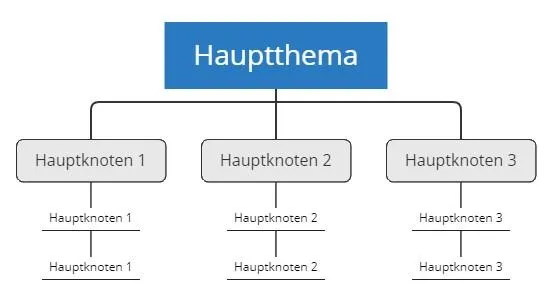
A mind map (created with Xmind, for example) can provide an overview of all topics and content and allows a bird's-eye view of all the website's topics.
Which content can be sensibly connected, and how can it be divided into categories?
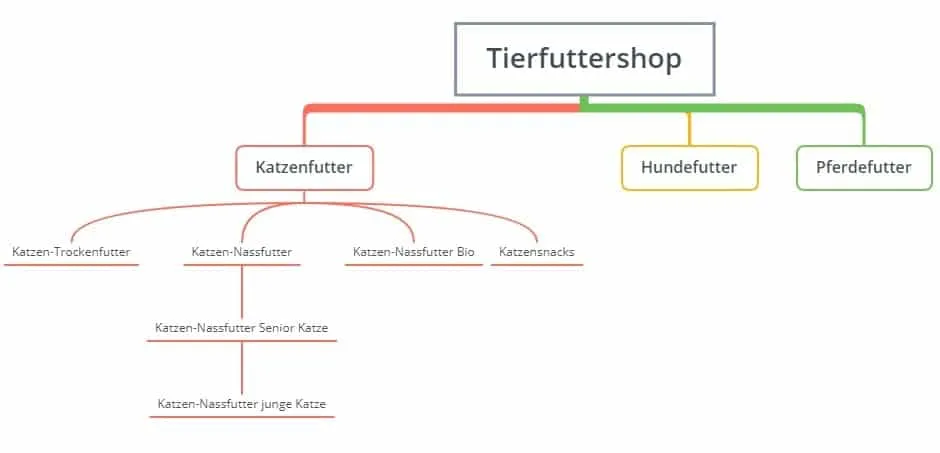
As an example, let's use an online shop for pet food. Here we have the topics cat food, dog food, and horse food.
To avoid losing the overview, let's first focus only on the cat food category. There are numerous other topics that can be sensibly associated with the umbrella term cat food:
- dry cat food,
- wet cat food,
- organic wet cat food,
- cat snacks, and much more.
On top of that, there is the age of the cat the food is suitable for, e.g., food for young or older cats. This example illustrates how complex such an information and site architecture can be.
These common mistakes cost rankings
Major risks of an information architecture are keyword cannibalization and Duplicate Content or near duplicate content.
Keyword cannibalization means that two or more pages of the website are optimized for the same keyword. The search engine then doesn't know which one should rank. This can also confuse the user. To rule out any confusion, every URL should therefore always be optimized for a specific, standalone keyword.
Descriptive URLs are also very important for an optimal information architecture. You should avoid URLs that are too long and have too many subdirectories. As a rule, the shorter the URL, the better.
A common mistake is wanting to optimize too many keywords on a single page or, conversely, having too many subpages optimized for identical keywords. Example: The pet food shop doesn't need two different pages for the keywords “cat food” and “cat-food.” However, it does need two different pages for the keywords “dry cat food” and “wet cat food,” so that when entered into the search engine these two terms already lead to the corresponding subpage and thus match the search intent (what the user wants = search intent).
With every keyword research, you must therefore always consider the search intent (Informational, Transactional, Navigational), including when creating the respective pages. “What does the user want?” and “How do I present this information to them?” are important questions that need to be answered.
Clustering by categories (top-level and subcategories) also begins with the keyword research. This involves analyzing which main topic and which associated subtopics fit a keyword set. We've summarized how to carry out such a keyword research here: Keyword Research and Analysis.
In addition to informational, transactional, and navigational, the model commonly used today (including by Semrush and Ahrefs) includes a fourth category: “commercial” (commercial investigation, e.g., “best …” or “comparison”). This category is central, especially for shop examples.
Determining website taxonomies
A website taxonomy represents the flow of information and the arrangement of content by category. In doing so, a website's pages are classified by specific topics and brought into a structure.
This doesn't always have to be strictly hierarchical; it can take various forms. Depending on user behavior and how the content is best accessed, there are various website taxonomies:
Flat taxonomy
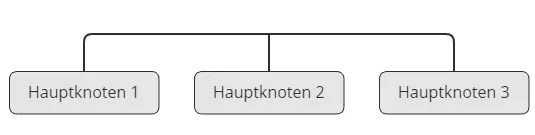
A flat taxonomy consists only of top-level categories. Here, all content is weighted equally. Especially small websites can have completely flat categories and thus provide the user with all the important information at a glance. In this model, there are no subpages.
Hierarchical taxonomy
The example of the pet food online shop represents a hierarchical taxonomy. All pages are ordered by importance. The deeper the structure goes, the more specific the topic.
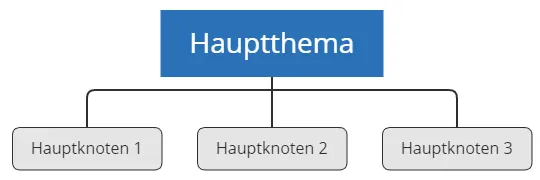
With hierarchical taxonomies, it's better to deliver information broad and flat rather than narrow and deep, because otherwise too much information gets hidden and findability is made more difficult. This is bad for visitor behavior, but also for the search engines' crawlers.
A large menu that lists all the important categories is usually better than one that shows only a few items. After all, the rest then has to be discovered through tedious clicking through several sub-levels.
Network taxonomy
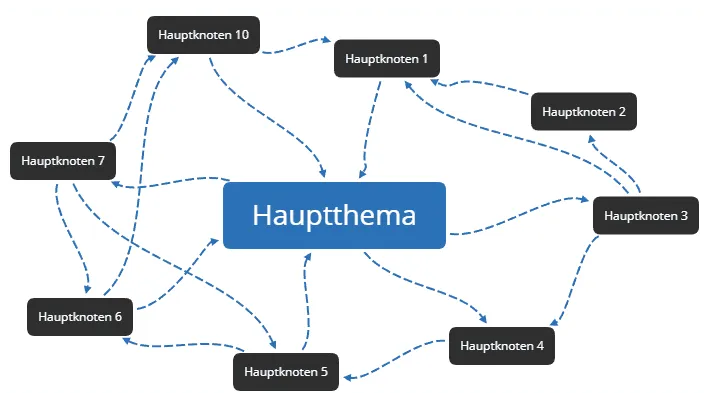
The top-level and subcategories within a network taxonomy are not connected strictly hierarchically, but rather crisscross with other categories. Here there is no clear separation of categories, but rather a network of interconnections with countless categories. Our website, for example, has such a network taxonomy, since we have one large overarching topic (SEO) and there is no clear separation of the topics. This means every article and every page on our website can be linked with one another.
Faceted taxonomy
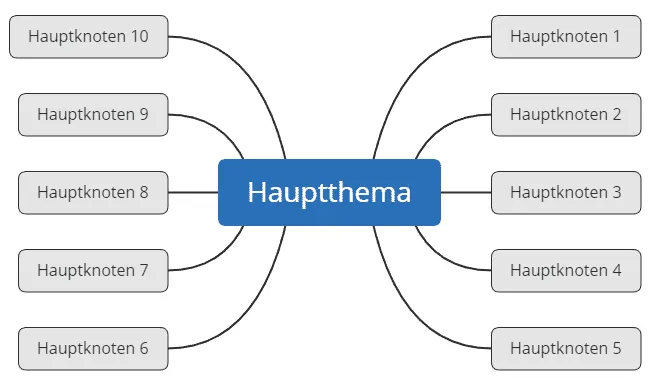
Each category has multiple facets. In an online shop for office furniture, for example, there are various office chairs that can be filtered by different criteria: color, with or without armrests, height-adjustable seating position, price, manufacturer, and much more.
Creating a sensible taxonomy is important for the successful SEO of any website. You should therefore consider which taxonomies the information on the website should be presented by.
Do new visitors in particular find their way around quickly and find what they're looking for, or do they leave the website again in frustration?
Tools like Hotjar or Mouseflow help you better understand a website's visitors by, for example, recording user sessions, creating heatmaps, and offering many other features.
Internal links, overview pages, click depth, and further tips
Internal links help immensely in presenting further useful content of a website to visitors as well as to search engines. It's important to ensure that internal links are always given clear anchor texts. The user and the crawlers then understand better what information lies behind the link. You can find more on this topic here: Internal Linking.
So-called overview pages (often also referred to as hub pages, topic clusters, or pillar pages) represent a first point of contact for a particular topic and already try to provide an overview of as much information as possible.
For example, our overview page on the topic of Search Engine Optimization is a hub page on which the topic of SEO is covered extensively and from which further subtopics in the SEO area are subsequently linked. Such entry pages usually perform very decently in the search engines and are gratefully accepted by new visitors as an entry point. These overview pages should be findable in the information architecture as quickly and easily as possible, which can be achieved, for example, through prominent linking in the menu, sidebar, or footer.
Every subpage of a website that is meant to achieve good rankings on Google and others should also be reachable from the homepage with just one to two, at most three clicks. Why should a page rank well if it can only be reached from the homepage via very many clicks, if at all? With Screaming Frog you can analyze the click depth of a website's individual pages.

Unnecessary pages and categories should be deleted. Making the information architecture lean can definitely have a positive effect on user behavior and on SEO. This is especially true when a tangle of categories has developed over time – which is particularly common with online shops.
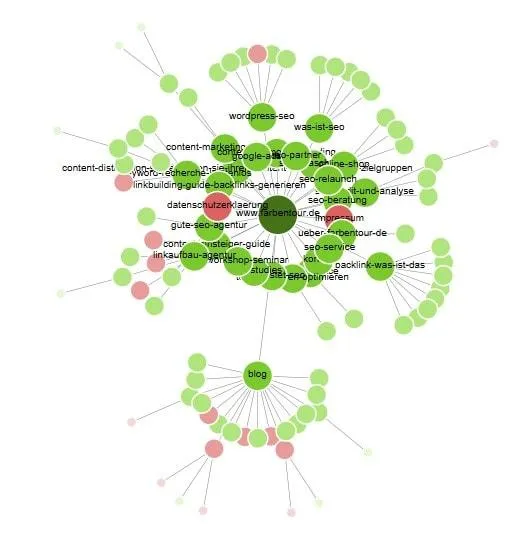
Here it's worth clearing the site of legacy clutter so that the website's architecture is clear again for visitors and crawlers. With Screaming Frog, too, you can visually map a website's site architecture. This then quickly reveals which pages have so far been internally linked and how strongly.

Clean information and site architecture = better SEO
The website's menu must guide the visitor and be able to live up to expectations. A poor user experience with visitors who can't find their way around is extremely damaging for any website.
The website's taxonomy must be comprehensible for every visitor and intuitively connect all content. This makes it possible for visitors and search engines through the internal linking and the classification of content into categories to understand the website and orient themselves on it, so as to quickly find all relevant information.
However, the user must also not feel overwhelmed by too much information at once. Every new page and category on a website must fit perfectly into the existing architecture. The entire success of a website, not just its SEO, stands and falls with the information and site architecture.
Quellen
SEO & GEO check
Want more visibility – in search engines and AI answers?
We analyse your potential and show concrete next steps. Free and non-binding.